Forum Discussion

Hindi Font Rendering Issue in Safari and Mozilla Firefox
Hi,
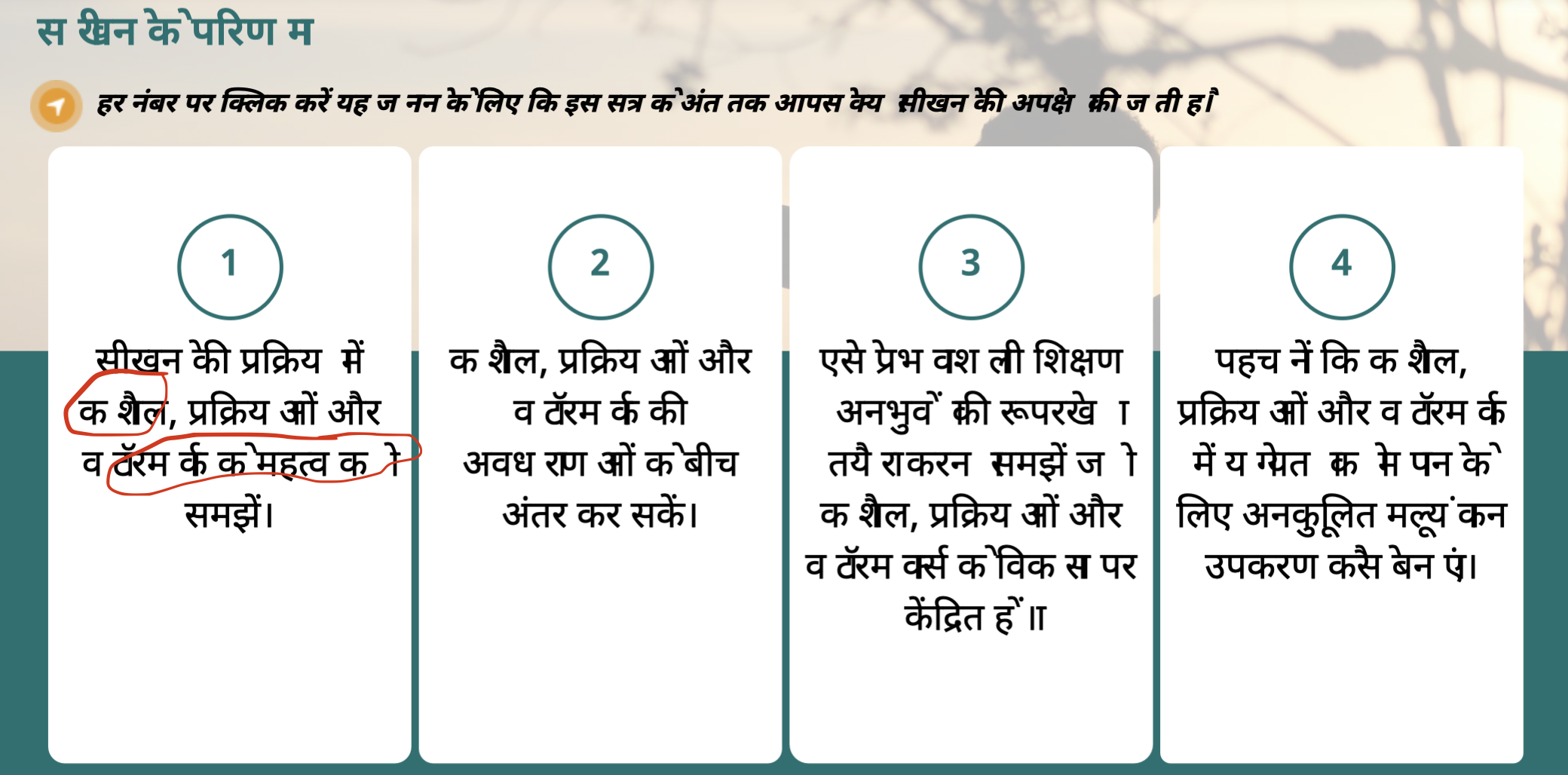
We have created a course in Articulate Storyline in Hindi. During testing, we noticed that the Hindi matras are not rendering properly in Mozilla Firefox and Safari browsers.
Please refer to the enclosed screenshots for examples of the issue.
We have already tried using different fonts, including Google Noto Sans Devanagari and other Hindi-native fonts. However, the rendering issue is still appearing.
Course details:
Articulate Storyline version: Latest version
Language: Hindi
Issue observed in: Mozilla Firefox and Safari
Issue type: Hindi matras not rendering correctly
Fonts tested: Google Noto Sans Devanagari and other Hindi-supported fonts
Could you please review this issue and suggest a possible solution or workaround?
2 Replies
- VenkataSambaSivCommunity Member
Hi Kelly,
Thank you for your response. Please check the below information for additional insights:Course Settings & Publishing
- The course is published to the review platform for stakeholder feedback.
- The package uses the SCORM 1.2 standard for compatibility testing.
- SCORM Cloud is being used as our baseline testing environment.
Browser Compatibility
- The course functions properly and runs without errors in Google Chrome.
Content & Localization Workflow
- Content is copied from Microsoft Word into Notepad first to strip hidden formatting.
- The clean text is then pasted into the course authoring tool.
- A dedicated, separate template is being used for the Hindi language version.
Please do let me know, if you want any additional informations.
Thanks,
Samba
- KellyAunerStaff
Hi VenkataSambaSiv,
Thanks for reaching out!
I understand Hindi font isn't rendering correctly in Firefox and Safari. I'd like to ask a few more questions to gain clarity on what's happening.
- How are you publishing your course?
- Have you tested viewing the course in Chrome?
- Was the font copied and pasted from another file or a Word document?
You can try adding this trigger on one of the affected slides to see if that makes a difference.

If this doesn't do the trick, it would be helpful to take a closer look at your file. You can upload that here or privately in a support case, and we'll delete it once we're done troubleshooting!

Related Content
- 11 months ago