Forum Discussion

BeverlyScruggs
13 years agoCommunity Member
Links to web pages not working
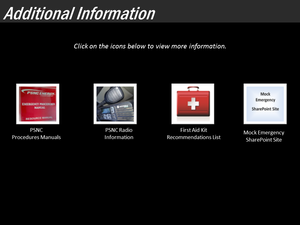
I have a slide in Storyline with 4 links to pages on our company's intranet (in SharePoint). The triggers to "Jump to URL/File: http://xxx" are on nearly transparent rectangles over each picture. N...

LeslieMcKerchie
13 years agoStaff
Hi Beverly! How are you testing this content?
Are you viewing the published course locally, by any chance? If you view published Storyline content on your local hard drive or send it to someone else to view on their local hard drive, you'll encounter security restrictions from the computer, web browser, Flash Player, and network that'll cause various features of your content to fail.
To properly test your published content and share it with others, upload it to the environment for which it was published. Please review the following article for details:

BethTarbell
11 years agoCommunity Member
Hi, I had the same problem. I published my content to Articulate Online and then zipped the file. I sent it to someone else, and they extracted the file and played the .story file. I played well, but none of outside web links worked.
How can the security issue be overcome (if that is what this is)? Do they need to clear cache?
Related Content
- 2 months ago
- 9 months ago
- 12 months ago
- 9 months ago
- 10 months ago