Forum Discussion

amorrissen
1 year agoCommunity Member
Objects set to "Visited" initial state do not respond to clicks.
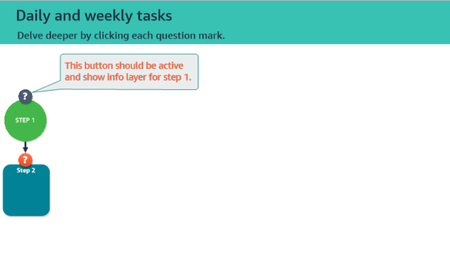
I have a series of slides that represent the stages of a flowchart. Each slide has an orange "information" button that users click to display a new info layer, then they move to the next slide. The b...
- 1 year ago
You should add "Disabled" state for this to work.


JudyNollet
1 year agoLegend
An object in the Visited state should still run its "when clicked" triggers. Here are a few things I tried:
- I changed the button's Initial state to Normal. It is clickable.
- In addition to that, I added a T/F variable that is changed to True when the user clicks the ?1 button on the first slide. On the second slide, I added a trigger that changed the ?1 button to Visited when the timeline starts with the condition that the variable = True. Thus, the button is Visited right away. And it works.
Unfortunately, I still have no idea why simply having Visited be the Initial state somehow disables the button.
In other words, that is what's politely called "unexpected behavior."
I suggest you submit a case directly to the Articulate staff. You can do that here: https://access.articulate.com/support/contact
Include a copy of the file. I also suggest that you give them a link to the post, so they can see the testing I did.