Forum Discussion

Story View Issue in Storyline
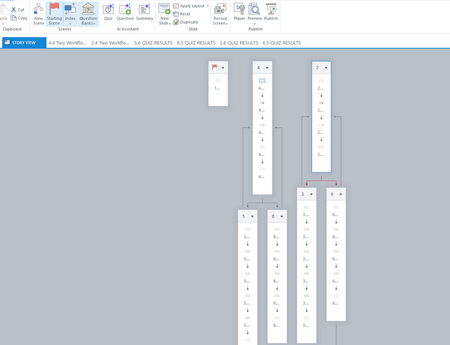
- 9 months ago
Hello everyone,
Happy to share that we've just released a new update for Storyline 360!
In Build 3.106.35838.0 we’ve included essential fixes and new features. One of the bugs we’ve fixed is:
- Slide thumbnails disappeared in Story View when the zoom level was set below 30%.
Launch the Articulate 360 desktop app on your computer to take advantage of this update, and click the Update button next to Storyline 360. You’ll find our step-by-step instructions here.
Please let me know if you need additional help.


Hi JericoBartolome and JessDavis1,
I’m glad KendalRasnake-1 is helping out here. I can confirm that what you’re seeing is a bug that we’re currently monitoring. I’ve added this discussion to the bug report so we can update this thread if anything changes or if a fix becomes available.
Thank you for sharing your experience and workarounds. While closing and reopening Storyline does temporarily help, we know it’s not ideal.
Please let us know if you have any other details to add, and don’t hesitate to reach out if you have more questions
Thanks EricSantos . I hope this bug gets fixed soon.
- EricSantos1 year agoStaff
You’re welcome, JericoBartolome. We’ll share an update on the bug as soon as we have one.
Have a great day ahead!
Related Content
- 5 months ago
- 10 years ago