Forum Discussion

Storyline issue – Layer not persisting during review since recent updates
- 5 months ago
Hi everyone,
I have some great news to share.
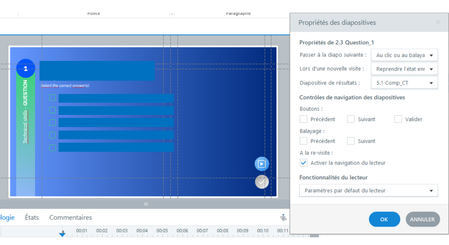
We just released another update for Storyline 360 (Build 3.114.36655.0), and this includes a fix for the issue you encountered where layers set to “Hide other layers” didn’t behave as expected when revisiting a slide.
This was related to slide layers not maintaining their expected behavior after a slide revisit, and it has now been resolved.
To take advantage of this update, please open the Articulate 360 desktop app on your computer and click the Update button next to Storyline 360. You can find step-by-step instructions here.
SafeTeamAcademy, I especially appreciate you sharing the impact this had on your team’s timelines. I can understand how challenging it is to spend time investigating something internally before confirming it’s tied to a product issue. Thanks as well for your feedback on proactive communication, it’s really valuable and something we’re continuing to look at improving.
Please let me know if you’re still seeing any trouble after updating or if you have any questions!


We are experiencing the same behavior and it is isolated to the new version. I'm the only one that did not get the update loaded last night and when I publish a review link of the same course the issue goes away.
our issue is an interaction behaves properly on first use of the slide and then if a learner revisits the slide the layers don't recognize the "hide other layers" checkbox and the layers are only visible from the bottom up.
Related Content
- 5 months ago
- 1 month ago