Forum Discussion

Give triggers names to help remember what they are for
Hi,
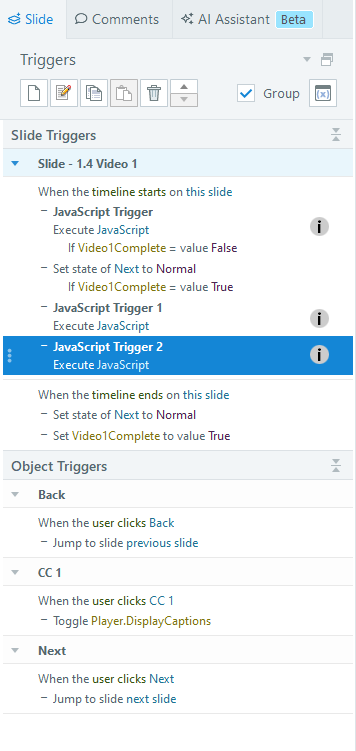
Ever wondered what a trigger was for? I have a few in a project that are JS triggers and I can never remember which is which if I want to copy and paste to another slide. We need the ability to add a name or a description to a trigger. The name can be added in the Triggers panel when creating it. Perhaps the name/description can be hidden in an icon in the triggers side panel so to not take up room, but if you roll over it the name/description appears?
I created a quick example to help get my idea across.
Thanks for your consideration!
Russ
2 Replies
- HoneyTurnerCommunity Member
They already added this feature a couple months ago. Where it says Javascript Trigger 1, you can now click on it to rename it.
- RussLickteigCommunity Member
Well how cool is that! I think I asked for this feature a couple of years ago. I need to get better at reading the "What's New" info each time they have an update. Thanks for letting me know!

Related Content
- 6 months ago
- 10 years ago