Forum Discussion

Week 2 - Group 1 Discussion
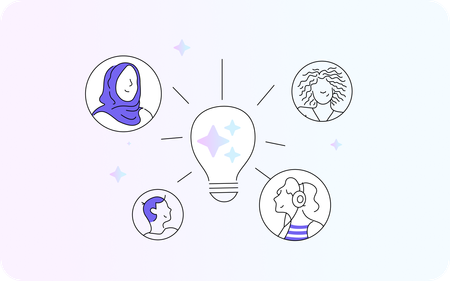

Hi everyone. I had limited bandwidth to work on this, but here the course I built. I have started working with Rise again after many years, I enjoyed this brief course!
Quick Share link:
https://share.articulate.com/-z4mcMRoooqScVuBnildH
Share 3 changes you made:
- Improved visual design and inclusivity:
I added diverse and inclusive images to ensure representation across different genders, and backgrounds, helping learners see themselves reflected in the course. I also introduced consistent color-coded sections to break up content and guide attention.
Why: These changes make the experience more visually engaging and inclusive, which helps learners feel connected to the content and improves focus when navigating the course.
Reduced cognitive load:
I shortened long paragraphs into concise, easy-to-scan content and added audio narration for dense sections.
Why: Learners can feel overwhelmed by large blocks of text, so simplifying content and providing audio supports different learning styles and keeps engagement high.
Increased interactivity and engagement:
I adjusted the tone to be more conversational where needed and refined interactive elements to keep learners actively involved rather than passively reading.
Why: Interactivity and a more approachable tone maintain learner attention and encourage participation.
- Most valuable in your workflow..:
I found the summarize, audio generation tools especially useful because I previously relied on external AI tools for these tasks. Being able to do this directly within Rise made my workflow faster and more streamlined, allowing me to quickly refine content without switching tools.
Another valuable feature was generating custom images. This helped me create more relevant and engaging visuals while being intentional about inclusivity. I could guide the prompts to avoid stereotypes and low-quality content, ensuring the visuals aligned with the course’s tone and learning goals.
- What challenges:
I found that AI design and formatting capabilities are still somewhat limited.
It is not always possible to easily apply consistent changes, such as adjusting the size, format, or colors of different blocks, across the course in bulk. Having a centralized AI-powered menu or library to manage these elements would make a big difference.
Especially during rebrands, updating content to match new visual guidelines required a significant amount of manual work in a short time. In this context, I could see how more advanced AI-driven theme customization (e.g., automatically updating styles across all sections) would save considerable time and effort.
I’m looking forward to future improvements in this area, especially around streamlining theme customization and enabling bulk updates, which would make the workflow even more efficient.

I really like the watercolor design you chose for the photos; it has a very peaceful feel to it! Great job thinking about cognitive load and adapting the content to be more engaging. You have it chunked nicely with a lot of interactivity. I also like that you gave your "why" for the changes in this discussion post. That's something so important for us designers and I think it'll become even more important if we need to explain how/why we're using AI and the conscious choices we're putting into our work.
I love your idea about streamlining theme customization and enabling bulk updates; that is something I have wished for as well (specifically wanting to change text size or color across different blocks, or even the header/body text of the same block).