Forum Discussion

New in Labs: Interactivity in Custom Blocks
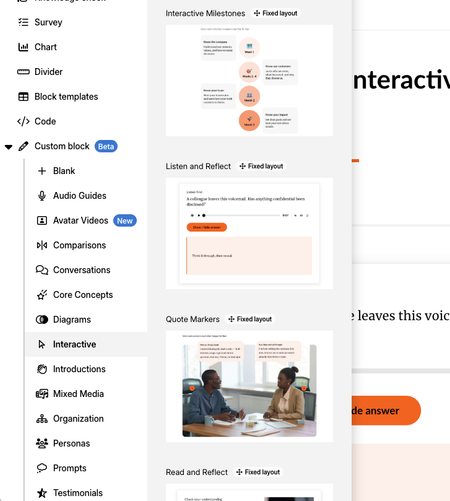

I like the idea of bringing more interactivity directly into Custom Blocks, but in its current form I’m struggling to see the value compared with the tools already available.
For relatively simple interactions such as showing, hiding, or toggling objects, I can build the same experience much faster and with more flexibility in Storyline 360 or even in a Rise Code block. The Custom Block workflow currently feels more manual, especially when setting up multiple source and target objects.
What would make this feature more compelling for me would be capabilities that reduce the need to leave Rise while also making interactions genuinely faster to build. For example:
- More interaction types beyond show, hide, and toggle
- States or conditional logic
- Variables or ways to track learner choices
- Animations and transitions
- Easier management of multiple interactions
- Reusable interactive components or templates
- More advanced triggers, such as hover, selection, completion, or changes to another object
- Ways for interactions to affect course progress or other Rise content
The biggest opportunity, in my opinion, is for Custom Block interactivity to occupy the space between standard Rise blocks and Storyline: easier and faster than building a Storyline interaction, but powerful enough that I don’t immediately reach for Storyline or a Code block.
Right now, I’m not sure the current show/hide functionality crosses that threshold. I’d be interested in seeing the feature evolve toward interactions that are quick to author, responsive by default, accessible, and tightly integrated with the rest of Rise.
- KellyAuner1 month agoStaff
Hi SM_LED,
I appreciate you testing this out and sharing such detailed feedback. This will certainly help our team while this feature is in development!
- JaredSpeight-221 month agoCommunity Member
I'll echo part of this. I was hoping to create a click-to-reveal type interaction where learners could click on one of four questions and an answer gets revealed, but without the ability to condition interaction on states (reveal if hidden or hide if normal), I can't get it to work the way I want it to. That said, it's encouraging to see the path forward in Rise. If we could get clickable buttons, variables, and states in these custom blocks, I could probably ditch Storyline altogether.
- ClaraKahng25 days agoStaff
Hi SM_LED and JaredSpeight-22
Love that you're both testing out our new interactivity feature so thoroughly!
occupy the space between standard Rise blocks and Storyline: easier and faster than building a Storyline interaction, but powerful enough that I don’t immediately reach for Storyline or a Code block.
This is exactly the goal, and it's great to hear that our product direction aligns with our customers expectations.
The click interaction we launched in Labs is a first version of interactivity. Buttons, states, animations, etc. are all on our radar and we look forward to iterating on what we have to provide further value to you all.