Forum Discussion

ClaraKahng
2 months agoStaff
Released: Interactivity in Custom Blocks
Get Started
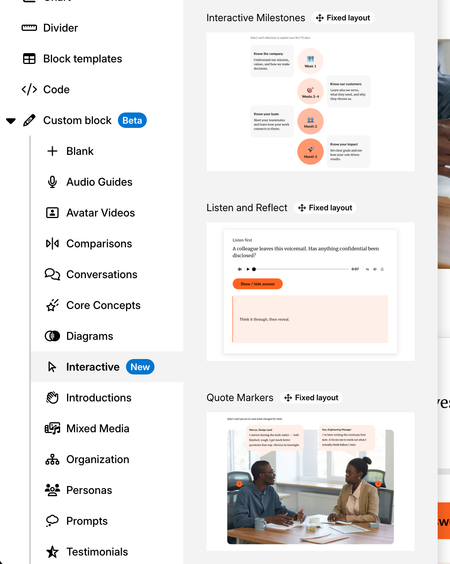
Learner interactions, previously only available via Storyline 360 blocks or code blocks, can now be implemented directly in custom blocks! With the Interactivity in Custom Block lab ena...

NCSDojo
1 month agoCommunity Member
This looks useful. But I can't see the "Interactive" button under my Custom Block.
- KellyAuner1 month agoStaff
Hi, NCSDojo!
I'm happy to help!
First, let's confirm that Interactivity in Custom Blocks is enabled in Labs. To check, click the Labs icon in the upper-right corner of your screen, then make sure Interactivity in Custom Blocks is toggled on.
You may need to refresh your browser or reopen your course for the change to take effect.
Let me know if that helps!

Related Content
- 8 months ago
- 2 months ago