Forum Discussion

LindaWelch-9082
10 months agoCommunity Member
Hi I am Linda from the UK
I am a system trainer primarily using Articulate Storyline to create eLearning courses for our clinical systems. I find the Articulate webinars and articles very useful.
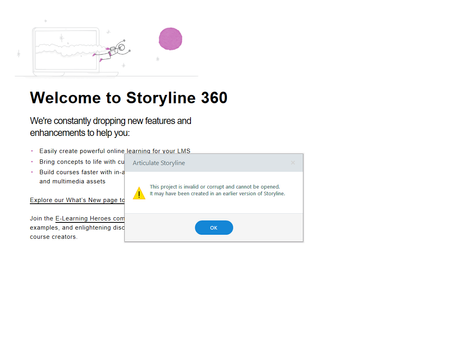
I have a problem in that I...

GingerSwart
10 months agoStaff
Hi LindaWelch-9082 Glad to hear that you've found the webinars and articles helpful! But I'm so sorry that you've run into an issue with one of your projects. In this article, we have the following steps to try to recover a version from your temp folder:
"If there’s a crash and your file is lost or corrupt, don’t lose hope: there may still be a working version of your project in your temp files. Here's how to check:
- Open this folder in Windows Explorer: %appdata%\Articulate\Storyline.
- Scan the contents of this folder for a file that starts with the name of your project.
- If you find the file, copy it to your desktop (if you find more than one, copy the latest version).
- Change the file extension of the copy on your desktop from *.tmp to *.story.
- Double-click the file to open it in Storyline."
If you have any questions about that process, please let us know, and if that doesn't work, I'd recommend opening up a support case and sharing the corrupt file with us.