challenge recap
228 TopicsBrew Dunnit? 🍺🕵️ An Oktoberfest Whodunit Where the Ingredients Are the Suspects
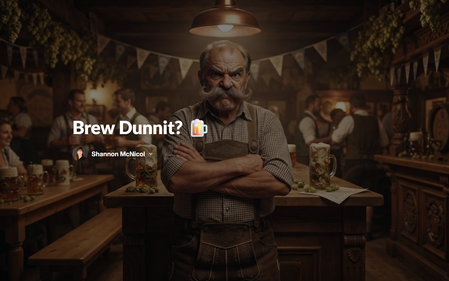
Somebody dry hopped the lager. 😱 A crisp Munich Helles showed up to Oktoberfest smelling like a California IPA, the Brewmeister is FURIOUS, and you’ve been called in from HR to find out who did it. 👉 Brew Dunnit? 🍺🕵️ The lineup 🌿 Hops: the obvious suspect, and very defensive about it 🌾 Malt: sweet, a little too eager, brought you a pretzel 🥔 Yeast: smug, has an alibi, and is NOT a potato 💧 Water: will not talk. At all. 👀 Leo the Intern: nobody ever suspects the intern Why a whodunit? The big idea in brewing isn’t just what goes in, it’s when. Hops in the boil add bitterness. Hops after fermentation add aroma. That one timing concept is what cracks the case, so learners can’t solve it without actually understanding the brewing process. Every interrogation teaches something real (lager vs ale, IBU, what malt does, why Helles is pale) and drops a clue on the evidence board. The accusation stays locked until you’ve questioned all five suspects, and wrong guesses get a very offended rebuttal. Malt is still hurt about the pretzel. 🥨 How I built it 🛠️ One Rise 360 Code Block, uploaded as a zip file 🎨 Characters created with Articulate AI image generation, all in the same interrogation room for a consistent look 💾 Progress saves with local storage, so you can leave and come back to your case ♿ Keyboard friendly, screen reader labels, and big readable text My favorite part? Water. Three questions, zero answers, and then it slides you the most important clue in the whole case. 💧😎 Would love to hear who you accused first! 👇9Views0likes0CommentsNeed to Know? Sorting Doug's 200 Slides 📄😱
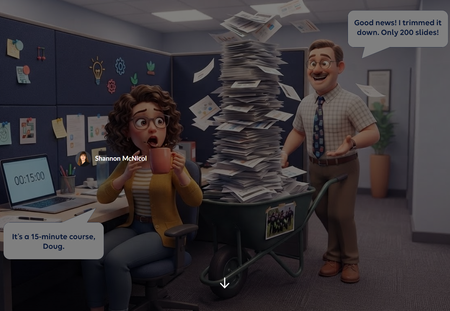
We've all met Doug. Doug is a lovely SME who knows everything, and he just rolled 200 slides into your cubicle for a 15 minute course. "Good news! I trimmed it down!" 🙃 For this week's challenge, I turned that moment into a sorting activity. Learners drag each of Doug's slides into one of three zones: Need to Know (teach it), Nice to Know (link it), or Never to Know (cut it, kindly). Then they hit Submit, and Doug weighs in. Try sending his paintball offsite photo to the cut zone and see what happens. 🎯 Why a slider? Drag and drop isn't fully keyboard accessible yet, and this interaction only needs to move one way: left to right. So the slide card rides on a slider. Learners can grab the card or the slider button with a mouse, or tab to it and use the arrow keys. Screen readers hear which zone the slide is in, not a random number. Same feel as drag and drop, and everyone gets to play. 🙌 What I learned: Get one axis right before anything else. If the movement only goes one way, a slider gives you drag and drop feel with accessibility built in. Feedback with personality sticks. Doug reacts differently depending on where you drop each slide. It's funny, but it also shows why something belongs in a zone. Show the payoff. The end screen compares Doug's 3 hr 40 min version with your trimmed course. That's the real lesson for any LED. ⏱️ Shout out to Claude, my co-creator for the build. Doug and our caffeinated LED were brought to life with Articulate's AI image generation. ☕🤖 👉 The SME Content Dump Have you ever had a Doug? What's the wildest slide you've had to cut? 😂One Office Party, Four Ways: Exploring Articulate's AI Training Formats
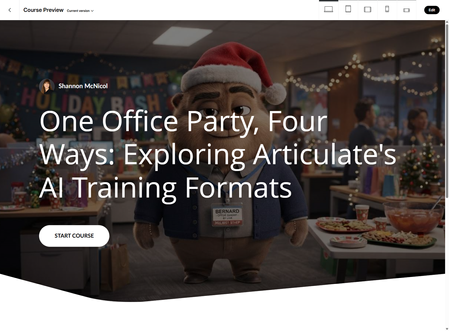
This week's challenge was so much fun! What happens if you take one training topic and run it through all four of Rise 360's new AI build formats, Guide, Interactive Video, Scenario, and Training Deck, and actually compare what comes out the other side? So that's what I did. Same topic for all four: surviving the office holiday party (RSVPs, small talk, the buffet line, the exit strategy). Same mascot too, meet Bernard, my office party expert for the day. 🎉 Here's how each format actually performed. Guide: video in, steps out. Feed it a video and it turns into a clean set of steps, and the writing held up well. To be honest, I could have built this simple list much faster on my own. It is pretty basic, just a list, and like the rest, it builds a standalone course with no way to drop it into something you're already working on. Interactive Video: same video, new checkpoints. If you already have footage, this one costs you nothing extra. It found smart, natural places to drop checkpoints right where new information landed. It also let's you edit the checkpoint which is pretty cool. Same standalone limitation, and it's only ever as strong as the video you hand it. Scenario: a prompt in, a conversation out. This is the one that surprised me. Two paragraphs, a goal and some context, and it built real branching logic, not just multiple choice with a coat of paint. Fully editable after it generated too, no starting from scratch if you want to tweak a branch. It also gave me my two favorite bloopers of the whole project, and I left both in on purpose. 😝 First, in his neutral pose, Bernard's mouth just isn't there. 😅 It comes back the second he smiles. Second, and better, one of the response options it wrote FOR Bernard, mid-conversation with himself, was "Heard any juicy gossip about Bernard?" The AI had him asking for the tea on his own life. I couldn't not keep that one. Training Deck: five rules in, seven slides out. This one wants raw material, not a prompt, so I pasted in five party "rules" and stepped through a three stage wizard, Details, Outline, then Draft, with an editable checkpoint at every stage. The visuals did not wow me, they were pretty plain. I could have create a better PowerPoint without this tool that looked much better. The editing experience was a little limited. It also decided, entirely on its own, that our audience was "young professionals, early in their careers." I never said that anywhere, it just went with it, and honestly, sure, why not. But I also found a real bug: four of the seven slides have a card that scrolls in Edit view but doesn't scroll in Preview or Present. That's not a cosmetic issue, it's lost content, whatever falls below the fold on those cards is just gone for anyone actually taking the deck. Worth knowing before you ship anything built this way. The throughline across all four: every single format builds its own separate, standalone Rise course. None of them let you generate a lesson and drop it into a course you're already building. Four for four. It's a little ironic, since Rise already lets you drop a Storyline 360 block straight into a course. It would be great to see these four get that same treatment, generate the content, then drop it in as a lesson instead of a whole new course every time. If I had to pick one? Scenario hand down. 🙌 No video needed, real editable branching, and nothing about it broke on me, just some Bernard's missing mouth and which made for a funny blooper. 😂 I built the comparison itself as a Rise course, using Articulate's AI Avatar and Code Blocks, one lesson per format with a "behind the build" walkthrough showing my actual screenshots, plus a closing verdict lesson where you can flip through pros and cons on each format before Bernard gives his own take. Link below. 👇 One Office Party, Four Ways: Exploring Articulate's AI Training Formats152Views7likes2CommentsClick. Explore. Stay Secure. – Cybersecurity Awareness Made Simple
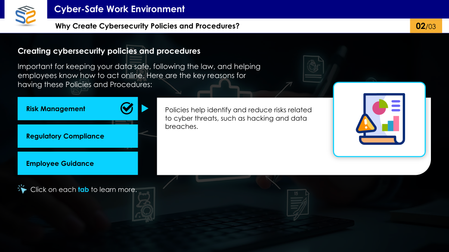
This interactive eLearning module uses a tab-based design to help corporate employees understand essential cybersecurity policies and procedures in a clear, engaging way. Click the link to explore cybersecurity awareness the smart way: https://www.swiftelearningservices.com/cybersecurity-awareness-course-elearning-challenge-517/Feelings Pulse
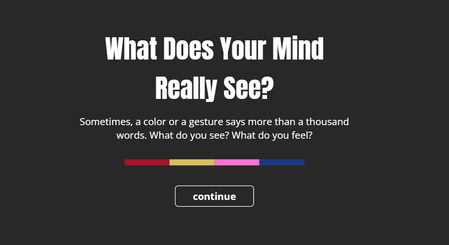
This is an interactive experiment using poll-style questions within a video. It’s designed to describe emotions through colors and characters, using four simple questions. Each question is linked to a color — Red, Yellow, Blue, and Pink — and presents a few emotional choices for you to pick from. You’ll only be able to select one answer per question, and only once per session. Your response is saved anonymously and added to the overall results. At the end, you’ll see how others have answered as well. This isn’t based on any scientific research — it’s just a creative way to reflect on emotions and try out interactive video features. Thank you for being part of it. Feeling PulseFind the Dog
Taking a breather after some intense experimenting with the morph transition! Here’s a simplified version of the classic shell game (I think that’s what it’s called?). I remember watching it as a kid — older guys would play it on the street, trying to earn a bit of extra cash. They’d use matchboxes, shuffle them around with a hidden object underneath. If you guessed right, you’d win a few coins. If not... well, better luck next time! I called it "Find a dog" for the purpose of this challenge. Find the DogStop Child Abuse
Hello Heroes, This animation was originally intended for the previous challenge. However, because it holds special significance for me, I decided to share it in this landmark 500th challenge instead. The criteria for this challenge differ slightly from my initial plan, so I incorporated a data comparison feature that activates when the ELC counter reaches 500 and the 'Facts' image is clicked, ensuring alignment with the challenge requirements. This animation is dedicated to all children affected by violence in our world today. There are not many interactions for you here – only an invitation to watch until the end, enjoy a song, breathe deeply, and hold them in your thoughts. Like these balloons drifting through the clouds, may every child find peace unburdened, joy unchained, and the freedom to soar. Hope you all enjoy it as much as I did! ELC#500 - Stop Child Abuse Project Description: In this project, I leveraged the JavaScript API in Storyline alongside the Web Animations API to create dynamic, smooth animations for hot air balloons. This included continuous swaying effects with adjustable rotation and downward movement speeds for more lifelike movement. For elements like clouds and birds—which reverse direction once the ELC counter reaches 500—I utilized motion paths within Storyline for seamless transitions. The ELC counter animation was implemented using GSAP, targeting the text variable for precise control. All graphics were designed and customized in Canva. The background features a children’s chorus performing a haunting rendition of Sting’s 1987 song "Fragile" (as heard in the Adolescence TV series). Additional sound effects and music were sourced from Pixabay.