merge shapes
3 TopicsI Can See You!
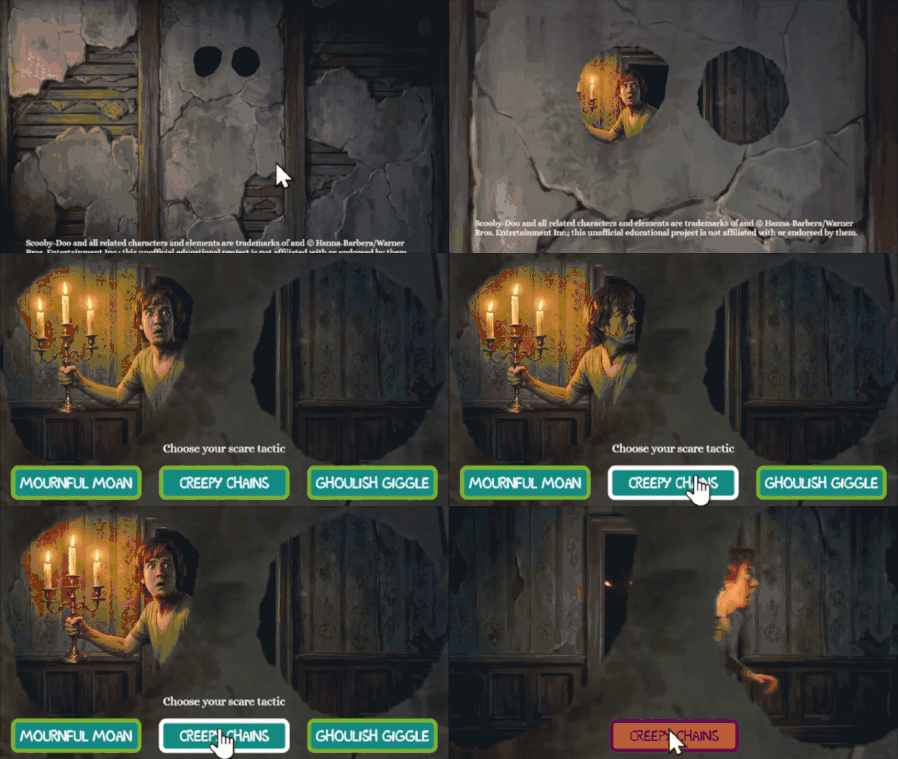
Hello! For this week's challenge, I used a masked shape to create a 'spyhole'. It appears that we are watching the character through the eyes of a portrait on the wall. Fun fact: it's possible to add motion paths and emphasis animations to your mask shape, timed to the events in the video beneath. A combination of shrink, grow, and teeter effects give this a real sense of action. I created most of the videos in Google Flow, but the speaking part at the end was built using Articulate's AI Avatar maker. The new audio tags feature is really impressive. This one's a little early for Halloween, DavidAnderson , sorry-not-sorry. Try it out here: https://bit.ly/elhc571When what you need doesn't exist...
I really enjoy using Power Point and the Merge Shapes features to create what I need when what I need doesn't already exist. Sometimes I start from scratch, sometimes I use a different vector for inspiration. Please take a look! ElearningChallenge #521: Merge Shapes for Custom Graphics