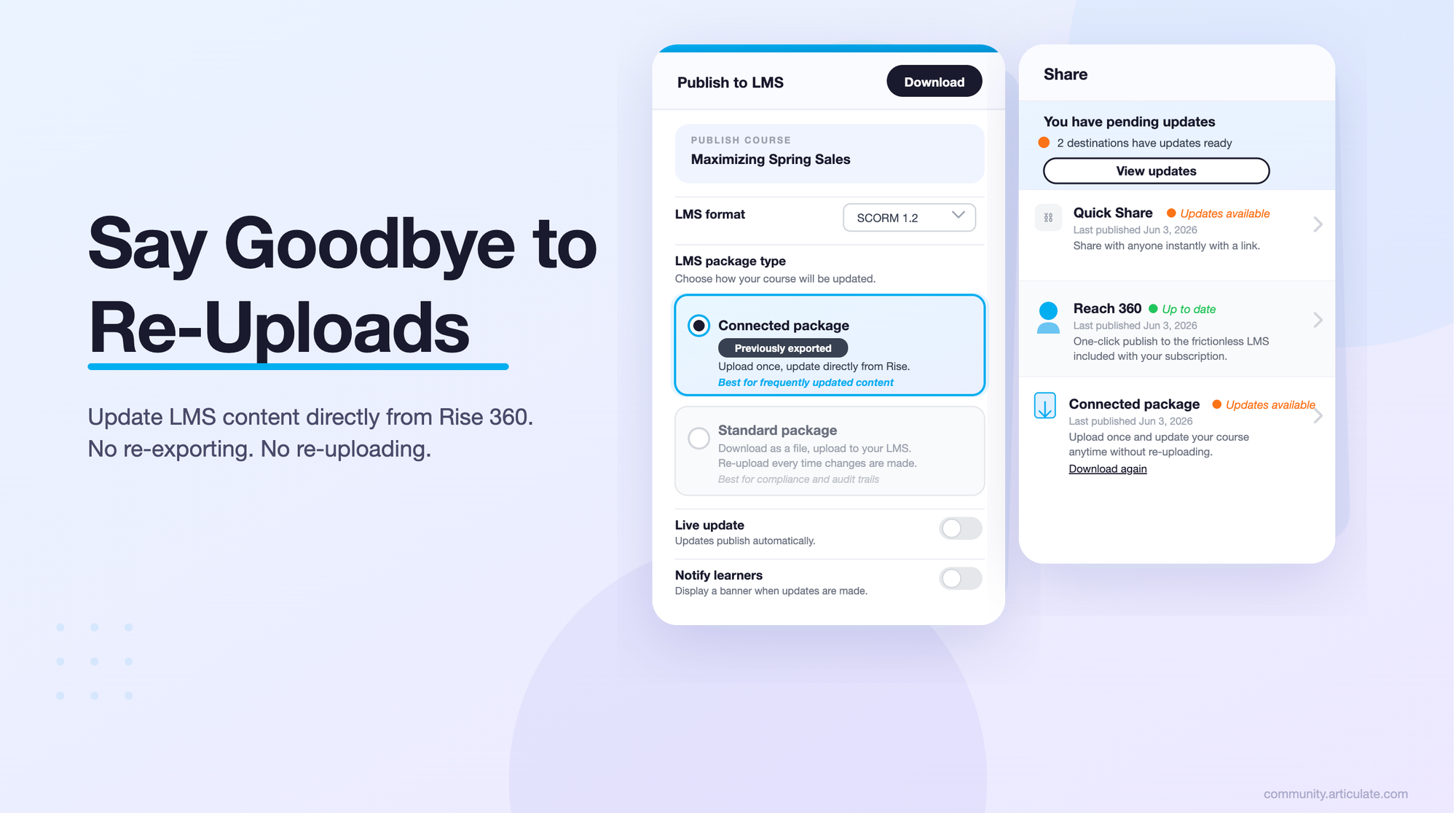
Connected Packages is now generally available in Articulate 360 AI. Upload a course to your LMS once, then keep it current from Rise. No re-exporting, no re-uploading, and no juggling versions in your LMS.
What Is Connected Packages?
Connected Packages is an LMS publishing option in Rise 360 that lets you upload content once and maintain it without repeating the full publish-and-upload process.
If you've ever updated a course that's already in your LMS, you know the routine. Whether it's a typo or a full rewrite, you re-export the package, download it, re-upload it, and sort out versions on the LMS side. It works, but when you maintain a lot of courses, it adds up fast.
With Connected Packages, the file you upload to your LMS is a lightweight package. Your course content is hosted by Articulate and delivered to learners when they launch the course from your LMS. When something changes, you update the course in Rise, and learners get the latest version the next time they launch it.
How It Works
- Export a connected package from Rise 360. When you export your course for an LMS, choose the connected package option.
- Upload it to your LMS once. The package is small, so it uploads quickly, even for media-heavy courses.
- Learners launch it like any other course. The course loads from Articulate, and your LMS keeps tracking completion and scores through SCORM, just as it does today.
- Edit in Rise and update. Make your changes in Rise, then select Update. The next time a learner launches the course, they'll see the new version. You don't touch the LMS.
Why Teams Use Connected Packages
- Fix things in minutes. A wrong policy date or a broken link no longer means a new export and an LMS ticket. Make the change in Rise and you're done.
- Keep your LMS setup intact. Since the package in your LMS doesn't change, you don't have to replace files, rebuild assignments, or manage duplicate versions every time you update.
- Stop wrestling with large files. Video-heavy and media-rich courses stay hosted with Articulate, so you're not uploading huge zip files or running into LMS file size limits.
- Keep a large library current. When a product, process, or regulation changes, you can update every affected course from Rise without coordinating re-uploads across one LMS or several.
- Fits the way you already work. Connected Packages uses SCORM, so it works with your existing LMS. If your organization filters web traffic, your IT team may need to allow packages.articulateusercontent.com, but otherwise there's nothing new to set up.
When a Standard Package Is the Better Fit
Connected Packages is built for online courses that change often. Stick with a standard LMS package when:
- Learners take courses offline. A connected package needs an internet connection, because the course content loads from Articulate each time it's launched. For courses downloaded ahead of time to an offline app, use a standard package.
- You need to tie a specific course version to each learner record for audits.
- Your LMS requires xAPI, cmi5, or AICC. Connected Packages supports SCORM.
You can mix and match. Use connected packages for courses you update often, and standard packages for everything else.
A Few Things to Know
- Content is hosted by Articulate. Courses delivered through Connected Packages follow the same data retention policies as other content on our platform, as outlined in our Terms of Service.
- Keep your subscription active. If a subscription lapses, the hosted course content may not stay available, and the package in your LMS won't be able to launch it. We recommend keeping an active Articulate 360 subscription for any course you deliver this way.
- Built to scale. Connected Packages is designed to handle large numbers of learners launching courses at the same time.
For additional details, please see our Knowledge Base article on Connected Packages.
🎥 Demo Video: How to Publish with Connected Packages
We Want to Hear From You
💬 How are you using Connected Packages? Share your questions, tips, and use cases in the comments below.