Blog Post

Storyline Templates
1 MIN READ

Storyline: Then-Now Comparison Slider

Montsea's avatar
Montsea
Legend
2 years ago

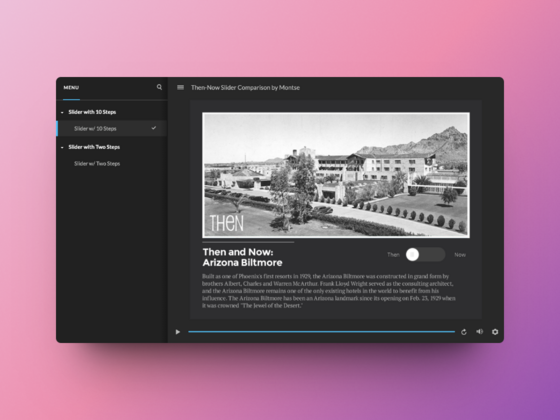
This Storyline template features two ways to use interactive sliders to visually compare two versions of an image.

The first example features a simple yet effective two-step slider allowing learners to toggle between 'before' and 'after' views – perfect for those clear-cut comparisons.

The second slider ramps things up a notch using ten steps to create a smooth transition from one image to the next.

View the project

Published 2 years ago
Version 1.0

9 Comments

  • CJLu's avatar
    CJLu
    Community Member

    I do not understand the reference to "two-step" vs. "10-step". I look forward to learning from this tutorial. After viewing the tutorial, I see you added 10 steps. I just don't understand why it is necessary except to make the slider longer. Thanks for the tutorial. :) 

    Edit: After careful review, I now understand! 😃

  • I am unable to change any images on this template. I am trying to add images and it would not show up


  • AliPreissinger's avatar
    AliPreissinger
    Community Member

    Has anyone been able to get this to work when doing a different size image and/or location on the page? 

  • RoxanaDoiseul's avatar
    RoxanaDoiseul
    Community Member
    C'est génial ! Merci pour le partage cela va m'inspirer pour mes modules.