Example

no ELC#533
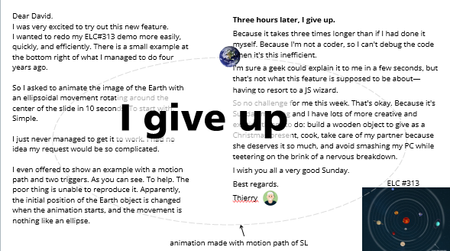

Hi ThierryEMMANUEL Let me just pick up from this thread.
The issue with your script is how the orbit center is calculated and how translate() is being used.
Orbit center is offset incorrectly:
const centerX = startX + ellipseWidth / 2;
const centerY = startY + ellipseHeight / 2;
startX and startY are the absolute positions of Earth object on the slide. By adding ellipseWidth / 2, you’re shifting the center of the ellipse far to the right of the object’s current position. This is why Earth object immediately jumps off-screen as the orbit is being calculated relative to a wrong center.
Another problem is that translate() moves an object relative to its current position, so feeding it absolute slide coordinates makes the object jump far off-slide. To orbit correctly, the values passed to translate() must be offsets relative to the object’s starting position, not absolute positions.
How it looks now (wrong – absolute coordinates):
earth.animate([{ translate: `${earth.x}px ${earth.y}px` }], ...);
How it should look (correct – offsets relative to start):
earth.animate([{ translate: `0px 0px` }], ...); // starting at current position
The orbit center is critical so the object always moves relative to a defined center. This center can be the slide center or another object (like a sun or focal point). Incorrect or undefined center causes the object to appear offset, off-slide, or move in unintended directions. Best practice: explicitly calculate the orbit center based on the target, and use it as the reference for all motion calculations.
Even if I fix the positioning issue, I encounter another problem related to keyframe timeline interpolation. Your script defines only five keyframes: start, 90°, 180°, 270°, and 360°. Linear interpolation between these points along an ellipse does not create a smooth curve; instead, it produces noticeable “zig-zag” segments.
Let’s skip this part for now and try generating a script by prompting the AI Assistant. As we discussed in our previous conversation, let’s start with our first prompt. Use only an Earth image and an avatar on the slide, as shown in the attached example story file.
Prompt 1 (orbit around avatar):
Animate the Earth so that it orbits around the Avatar in a smooth circular motion. Use the Storyline JavaScript API to ensure accurate and consistent positioning. Define adjustable variables for speed, orbit radius, and angle to control the animation dynamically.
Prompt 1 (orbit around slide center):
Animate the Earth so that it orbits around the center of the slide in a smooth circular motion. Use the Storyline JavaScript API to ensure accurate and consistent positioning. Define adjustable variables for speed, orbit radius, and angle to control the animation dynamically.
I was satisfied with the code generated in the first iteration. In the attached story, there are a few code snippets I created outside of Storyline and two that were later generated using the AI Assistant.
Please review all the code, experiment with it, and check the positioning. Let me know your thoughts.
Thanks for all these explanations, Nedim. Once again, I’m learning a lot. You’re obviously right—my code had issues. But the PROBLEM is that it’s not MY code; it’s the AI assistant’s. And if I’d been able to provide all those details to it, it could have corrected the code, and I could have written it. So, back to square one: what’s the point?
The part I can improve is how to write better prompts. But in this specific example, I REALLY spent 4 hours writing commands, describing the failures in detail, reporting the console output, simplifying my requests to start simple and then improve. And I never got results like the ones you seem to have gotten so quickly. So, I think, even though you might not realize it, you’ve helped the assistant MUCH more than the assistant has helped you, thanks to your knowledge. Which is something I’m not yet capable of doing... Back to square one. Thanks again.
I’m keeping the modified file because I often use code that works (yours, for example 👍) to tell the assistant: study this working code and modify it JUST to do this extra thing. At least it starts with good ideas (not mine 😀).
- Nedim5 months agoCommunity Member
No problem, anytime ThierryEMMANUEL. I totally agree with you about the AI assistant’s functionality. Prompting is important, but so is our time, especially if it takes too many iterations to execute exactly what we need. It would be much more useful if the assistant actually understood the Storyline environment and had a more context-aware API. Don't hesitate to reach out whenever you get stuck.



Getting Started with the E-Learning Challenges
Find practical answers to common questions about the E-Learning Challenges, a weekly event that helps you build skills, create your portfolio, and grow as an e-learning professional.