Forum Discussion

Issue with HTML code block
Hi community, first time using the code block in Rise as I've been asked to incorporate a "Whiteboard interactive cavas" so I've developed one.
My initial reaction was to use Storyline and add it as a web-object which is working great!
Then I tried the HTML code block and having 2 issues that I would like some support.
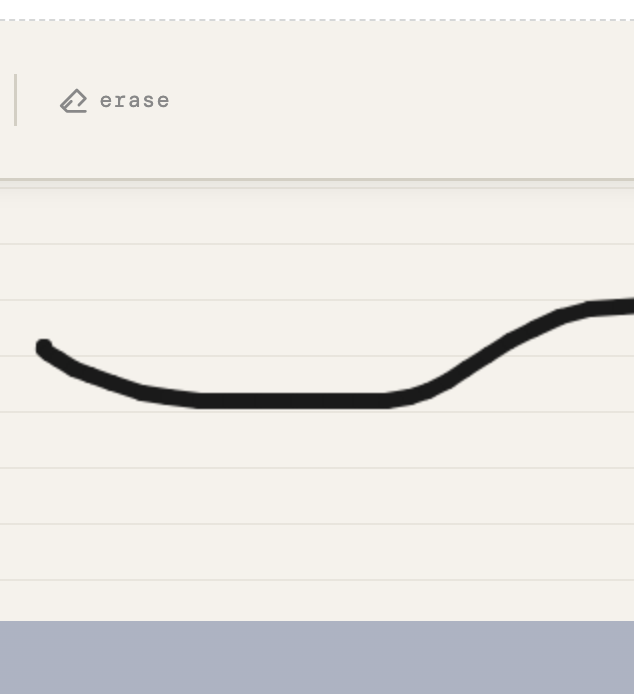
1. The HTML height is looking very narrow in rise
2. HTML shortcuts are not working (shortcuts don't work neither when using SL web object)
When testing the HTML file, everything works perfect, both shortcuts and canvas size is 100% so it occupies its full screen.
Any thoughts?
Attaching an image so you can see how thing the asset looks.
Thanks for your support and guidance.
2 Replies
- AndrewBlemings-Community Member
It’s always pretty tough to diagnose coding issues without access to the code. Are you able to share a text file with the HTML so we can try it out ourselves?
- destery1kenobiCommunity Member
Run the experience in Rise Code Block and then hit F12. The console will pull up on the right side. Copy and paste any errors into your AI tool and ask it to debug. There are some restrictions to what can be called in the Rise sandbox. Copy all the content in the console and your AI helper should be able to decipher it for you.


Related Content
- 7 months ago