Example

Connect to WiFi
Hello!
For several weeks, TomKuhlmann has been sharing loads of great free characters 'that you can use as you wish' in elearning projects. I've been waiting for the right moment to use one in a Challenge.
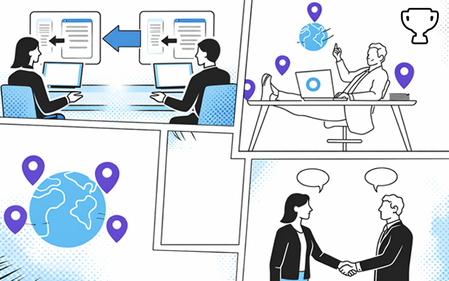
So here's Adam Kenner, guest-starring in my Comic Book-Inspired demo...
This is built on one slide, with three zoom regions timed to highlight different sections of the comic book grid. The animation is largely achieved with state changes and some motion paths and emphasis animations here and there.
Music from Suno, sound effects generated by Articulate's AI assistant. I adapted 'Adam' and created the barista and agent characters using NanaBanano in Pixlr.
Connect to WiFi here:
https://bit.ly/elhc541
6 Replies
- JeanineCopel293Community Member
This is so fun! Great job!
- ClaireIversenCommunity Member
I love this! Do you have any resources on how you created the zoom effect? I keep seeing some awesome examples in the challenges and I'm not sure where to begin.
Thanks ClaireIversen!
Zoom Regions are pretty easy to implement. You simply place them over the area you wish to maginify, and specify when they appear and their duration via the timeline:The trick here is pausing the timeline until you want the sequence to start.
I do this via a 'Titles' layer timed to appear at the very start of the slide, with 'Pause timeline of base layer' selected:This hotspot acts as a 'Start' button by hiding the layer and starting the timeline (and Zoom Region sequence) on the base layer:
For more info on Zoom Regions, check out this article:
https://www.articulatesupport.com/article/Storyline-360-Adding-Zoom-Regions
- JoannaBurchertCommunity Member
That's so great, real pedagogical fun. Thank you for sharing.





Getting Started with the E-Learning Challenges
Find practical answers to common questions about the E-Learning Challenges, a weekly event that helps you build skills, create your portfolio, and grow as an e-learning professional.