Forum Discussion

Cannot Reset Picture when Formatting Background
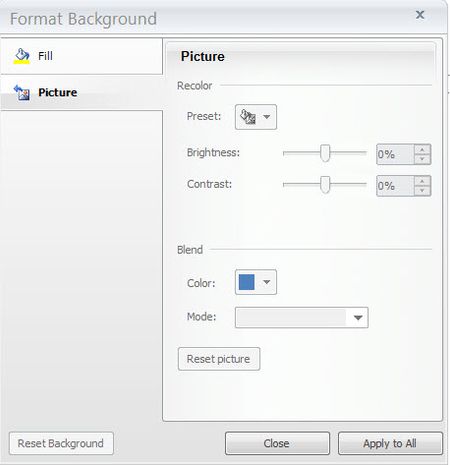

Yes I have thank you, but in my situation my options for setting a picture are all greyed out as seen in the screenshot above. I'm only with my company until early January and would like to avoid having to reinstall Articulate if possible. Since I cannot set a picture as the background I'm having to paste my picture onto the slide and lock it. It's doing the job but it's frustrating that this feature is not working as intended. Unless I'm missing something?
- BrettArcher-54010 years agoCommunity Member
OMG I'm a fool. I've realised what I'm doing wrong. It's a little confusing - I headed straight to the Picture tab, instead of heading to the picture option in the Fill tab. *slaps forehead*
Thank you for your reply and sorry for wasting your time.
- JoistHampel6 years agoCommunity Member
FML. I was stuck upon the exact same problem for minimum half an hour. At least you were able to help somebody three years later :D
#foolshelpfools
- DavidSherman5 years agoCommunity Member
Thank you so much for this!!!


Related Content
- 10 years ago
- 6 months ago