Forum Discussion

Error when uploading SL360 content to PeopleSoft
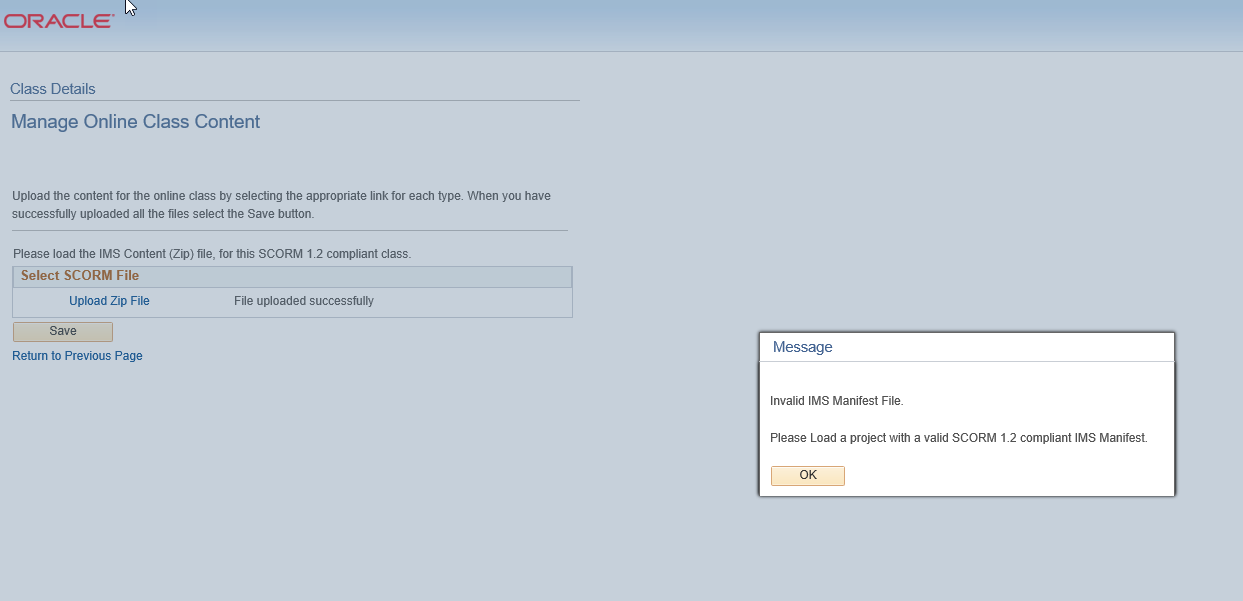
I reached out to support and got this response:
From the looks of your screenshot, it appears you're experiencing this issue when uploading a SCORM 1.2 published file to PeopleSoft Enterprise Learning Management (ELM). Happy to help you get to the bottom of this.
Can you please confirm if the following steps work? What you're experiencing could be related to an existing defect with the following workarounds.
1. Publish the course using SCORM 2004.
2. Downgrade to Storyline 360 Update 11. Follow these steps to install the previous version of your software:
2.1) Open your Articulate 360 desktop app by clicking the icon in your computer’s system tray (by the clock) or using the shortcut on your desktop.
2.2) Hover over Storyline 360, click the drop-down arrow that appears, and choose the uninstall option.
2.3) Download and install the previous version here: http://tinyw.in/ab1L
2.4) To open Storyline 360, go to your computer’s Start menu and select it from your list of apps. Or, create a shortcut for it on your desktop or taskbar. (You won’t be able to open it from your Articulate 360 desktop app. It’ll show an Update button rather than an Open button while this older version is installed.)
My client has told me if SCORM 2004 worked or not so haven't tried the remaining steps yet.