Forum Discussion

feedback master button states not being inherited by feedback layers

Hi, is there an update on this problem?
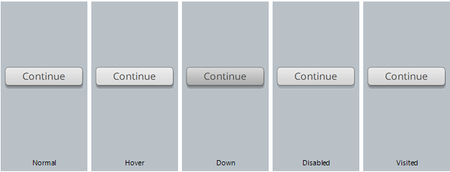
I'm experiencing the exact issue that was initially reported - changes to the Feedback master button style do not carry over when the button gets generated on the feedback slides.
This affects any changes to the button states. The button's 'Normal' appearance will reflect any custom changes, however the other button states appear to always generate as a standard +x% lighter on 'Hover', +x% darker on 'Down', completely ignoring any formatting or colors done to the various states in the Feedback Master.
Moving the default button out of the way and using a custom button on the Feedback Master is not really feasible either, as it requires a 'jump to next slide" trigger for it to actually work, and 'jump to next slide' is not always what you want (for example on a Try Again layer).
Not sure why that also refuses to work with just a 'hide this layer' trigger.
Related Content
- 28 days ago
- 2 years ago
- 8 months ago
- 8 months ago