Forum Discussion

feedback master button states not being inherited by feedback layers
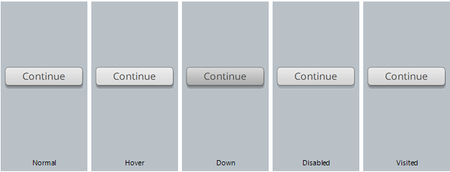

Hmm, that certainly isn't performing as expected.
Just a couple of additional questions so that I can get this reported correctly:
- After making your adjustments to the feedback layer, any difference if you right click on the slide to Apply the Layout?
- Are you creating these slides or are they one of the provided built-in templates?

Hi Leslie - in reply to your questions
- After making your adjustments to the feedback layer, any difference if you right click on the slide to Apply the Layout?
[PM - In the movie, I was selecting "reset slide" from the right click menu , so I also tried "apply layout' as you suggested. Both seem to have the same affect - SL replaces the existing button states with that washed out grey/green state for 'hover'. It appears as though some sort of hue or saturation variation seems to be coded in and applied and its definately not looking at the settings on the master slide to determine this. Its also not bringing in the 'disabled state properties.]
- Are you creating these slides or are they one of the provided built-in templates?
[PM - I have created these feedback masters - they are not part of the provided built-in templates]
Further observation
If I delete the "Continue" button from the slide feedback layer, then either right-click >'reset slide' or right-click > 'apply layout'....A new button is created by SL and placed. This button gets created with the text label "Button" (instead of 'continue') and it also receives the same unwanted set of styles for its 'hover' and 'disabled' states. See screenshot - I'm really just repeating what the originator of this thread, Chris Petrizzo, reported over a year ago here.
Guess I'm going to have to delete all buttons from feedback masters and copy/paste them between each feedback layer at the slide level. It removes a significant benefit of having 'masters' in doing this though, so It would be great to this fixed and functioning.
Related Content
- 1 month ago
- 2 years ago
- 8 months ago
- 8 months ago