Forum Discussion

feedback master button states not being inherited by feedback layers
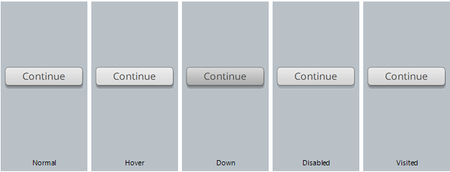

Thanks so much for sharing a sample file Dianne.
If we can take this one step at a time, that'd be great. I want to understand what you are experiencing and be sure that we help you out here.
I'm not clear on where you are experiencing the error or which button you want to work. I imagine it's the button on the master slide, so that's what I took a look at and it seems to be working well.
Here is my screen recording, so let me know what step I'm missing or misunderstood in your process.
- DianneHope7 years agoCommunity Member
Thank you so much for taking the time to do this screen recording Leslie.
Sorry - I didn't have all of my details quite right - what I was trying to point out is that if I want to try and replicate what the built-in button does on the feedback master I needed to add a trigger to the button on the master slide of the feedback master, as you correctly pointed out.
This works as per your screen recording, but with one drawback - It only allows for the one trigger for all feedback layers, whereas the built-in button somehow lets you add a different trigger to each of the master feedback layers.
So, I've modified the file by removing my custom button from the master slide feedback master and adding a custom button to each of the individual master feedback layers and used the triggers I need for each layer (ie on the try again layer I obviously don't want the trigger to "jump to next slide"). However, the big drawback here is that the trigger on the try again feedback master to "hide the layer" when the button is clicked, obviously doesn't work at the slide layer level. Additionally, because these triggers sit on the feedback master, they don't appear and therefore can't be altered on the slide layers like the built-in button ones can. So where this becomes an issue, apart from the try again layer, is when I need to change the trigger to "jump to the next scene" for the last question slide in a scene.
Where does that leave me with my customised buttons? It really means that it's actually less efficient to add these to the feedback master and use these in place of the built-in buttons because I can't replicate what the built-in button on the slide master of the feedback master does...
So, resorting to using customised buttons on the feedback master is not proving to be effective at all, and the issues relating to the built-in buttons as originally detailed still remain unresolved. Hence why I have taken the time to detail these issues in the hope that the formatting issues relating to the built-in button can be prioritised for troubleshooting.
I've attached my updated source file fyi.
Your attention to this is much appreciated Leslie.

Related Content
- 1 month ago
- 2 years ago
- 8 months ago
- 8 months ago