Forum Discussion

Flummoxed by Drag-and-Drop Tester Issue
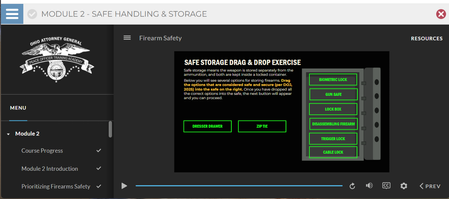

Hi Nicki,
I believe you can "break" your project by simply closing out the appearing layers fast. Note that your triggers for adjusting the "drag" values are based on "when the timeline ends on this layer." By quickly closing out the layer with the hotspot, the "drag" variable is never adjusted to "True" because the layer never reaches the end of the timeline and thus the "Next" button never appears. On the contrary, if I take my time and allow the layers to remain open for a few seconds, the Next button appears after viewing all the layers.
I suggest moving the Oval Hotspot, and the X underneath it, that closes the layer to not appear and be available until after the variable has been triggered. You could achieve this by putting a cue on the timeline of the layers, say 1 second in, and then readjusting your triggers to adjust the "drag" variables when the timeline reaches the cue point, not when they reach the end of the layer. Then, later in the timeline, say 2 seconds in, you could have the X and Oval hotspot appear to allow the user to close the layer.
If this solves your problem, please mark this answer as the solution. Otherwise, feel free to ask a follow-up question.
- NickiMazzocca-85 months agoCommunity Member
I tried breaking it this way, but was unable to. It still worked fine even if I closed the layer immediately.
Related Content
- 9 days ago