Forum Discussion

ErwinAncheta
8 years agoCommunity Member
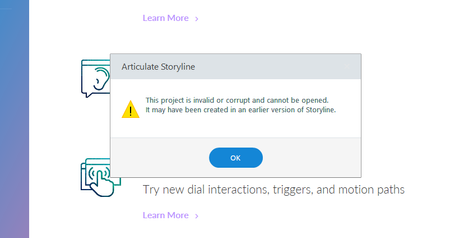
Invalid or corrupt storyline (created in an earlier version)
Guys I need help.
I have this issue with Storyline 3.
I have not upgraded my Storyline 3 so I tried opening it to a different PC with an upgraded Storyline 3 but I still got this error.
...

AlyssaGomez
8 years agoStaff
Oh no, Erwin! That's never a good message to see. There may still be a working version of your project in your temp files. Here's a quick Peek at how to find them:
Open this folder in Windows Explorer: %appdata%\Articulate\Storyline
- Scan the contents of this folder for a file that starts with the name of your project. If you find one, copy it to your desktop. If you find more than one, copy the latest version to your desktop.
- Change the file extension of the copy on your desktop from *.tmp to *.story.
- Double-click the file to open it in Storyline.
File corruption can happen, even in the best software, and even if you’re following all the recommended best practices. To be ready if it happens, follow these tips.