Forum Discussion

Menus opening to the left

Hi R H,
Happy to help!
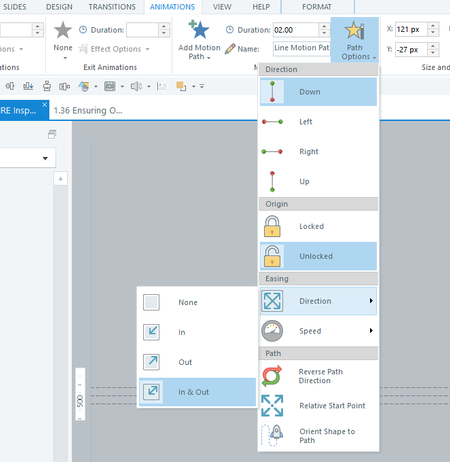
If Tablet PC Components are enabled, you may notice drop-down menus open to the left in your apps, including Articulate apps.
The Handedness setting in Windows controls this. If Handedness is set to right-handed (default), menus open to the left. And if it's set to left-handed, menus open to the right.
Here's how you can control which direction menus open:
WINDOWS 10
1. Open the Control Panel by typing "control panel" in the search box on your taskbar and selecting it.
2. View the items by icons and select Tablet PC Settings in the list.
3. You'll see the Handedness setting in the Other tab.
4. Select your preferred option, then click OK.
WINDOWS 11
If you're comfortable with updating the registry, you can set this key with the corresponding value:
HKEY_CURRENT_USER\Software\Microsoft\Windows NT\CurrentVersion\Windows\MenuDropAlignment
0 = Windows open to the right
1 = Windows open to the left
Then sign out of Windows 11 and sign back in to apply the changes. If the issue persists, please open a case with our support team here for further assistance.
Let me know if this works for you!
Related Content
- 11 months ago