Forum Discussion

Removing slide draw next/prev
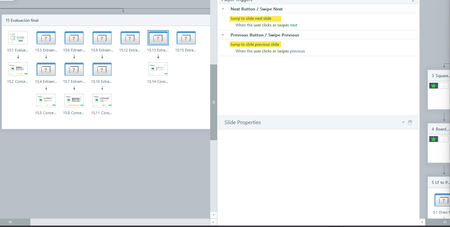
- 7 months ago
Select the Question Bank in the Scenes panel to access the question slides. The standard gear icon for opening Slide Properties will be there.
Because QBs don't appear in Story View, you have to adjust the Slide Properties for each question separately.

Check the Slide Properties. The PREV and NEXT checkboxes should not be selected.
Note: That is the default setting for a graded-question slide. Even when PREV and NEXT are turned off in Slide Properties, Storyline will still add those buttons during a quiz review. That's built-in functionality.
The only reason to turn on the buttons in Slide Properties is if you want to use triggers that control the buttons.
- Traci7 months agoCommunity Member
How do I access the slide properties for a slide draw though? The normal settings gear isn't there. Or is there a higher level setting that controls all? The properties on all the individual question slides are showing with no prev/next. But for how to turn this off at the question draw level, I'm stumped.
- JudyNollet7 months agoLegend
Select the Question Bank in the Scenes panel to access the question slides. The standard gear icon for opening Slide Properties will be there.
Because QBs don't appear in Story View, you have to adjust the Slide Properties for each question separately.
- Traci7 months agoCommunity Member
Thank you! Found the screen, but all the check boxes for the nav button were empty.
Maybe a bug though. If one slide in the question bank had a submit button and the others didn't, the next/prev arrows were showing for the rest.
Related Content
- 3 months ago