Forum Discussion

Removing slide draw next/prev
- 6 months ago
Select the Question Bank in the Scenes panel to access the question slides. The standard gear icon for opening Slide Properties will be there.
Because QBs don't appear in Story View, you have to adjust the Slide Properties for each question separately.
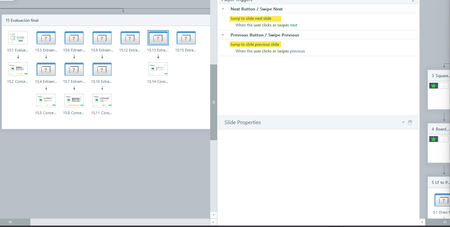
How do I access the slide properties for a slide draw though? The normal settings gear isn't there. Or is there a higher level setting that controls all? The properties on all the individual question slides are showing with no prev/next. But for how to turn this off at the question draw level, I'm stumped.

Select the Question Bank in the Scenes panel to access the question slides. The standard gear icon for opening Slide Properties will be there.
Because QBs don't appear in Story View, you have to adjust the Slide Properties for each question separately.
- Traci6 months agoCommunity Member
Thank you! Found the screen, but all the check boxes for the nav button were empty.
Maybe a bug though. If one slide in the question bank had a submit button and the others didn't, the next/prev arrows were showing for the rest.- LucianaPiazza6 months agoStaff
Hello Traci,
I see that you've opened a support case and that you're working with my colleague Christian. You're in excellent hands! We'll continue the conversation in your case, so everything is in one spot!

Related Content
- 2 months ago