Forum Discussion

Rise Custom Blocks
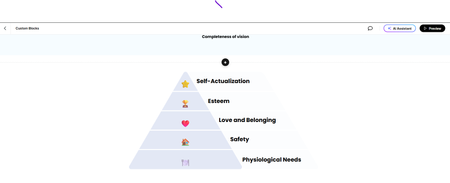

Hi Debra! The icons you see on that pyramid are actually emojis! You can replace those emojis by opening your emoji keyboard using the keyboard shortcuts below:
- Mac: Control + Command + Spacebar
- Windows: Windows key +. (period)
I recorded this 1-minute video to show you how it's done. I hope this is helpful!
- DebraGarcia-d3e7 months agoCommunity Member
The Widows key+.(period) brought up the emojis keyboard but would not replace the emoji.
- AliciaBakey29 days agoCommunity Member
Did you ever figure this out? I was also able to pull up the keyboard, find a different emoji but when I selected the one I want to replace it with.... nothing happens. Any solutions discovered?
- AndrewBlemings-29 days agoCommunity Member
Is a textbox selected for the emoji keyboard to paste the emoji into? I can do it into the address bar of my browser as well as this comment field just fine. 👌 If the emoji in the custom Rise block are being invoked by an HTML file, that would need to be edited directly I'd think.



Related Content
- 8 months ago
- 8 months ago
- 7 months ago