Forum Discussion

AmelieHanna
5 years agoCommunity Member
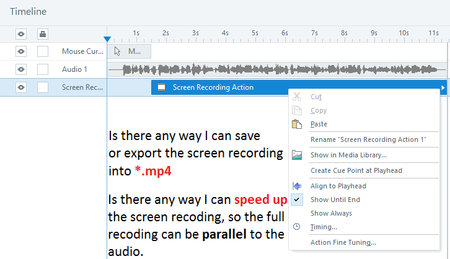
Screen Recording: Speed Up & Export to MP4

LaurenDuvall
5 years agoStaff
Hello Amelie!
Great question! It looks like the screen recording is displayed on multiple slides. In this case, we'll want to insert the screen recording again on a single slide.
To do this:
- Go to Story View and select the Home tab.
- Select Record Screen and choose the screen recording from the drop-down selection.
- Choose to insert as a Video on a single slide.
- After the video is added on a single slide, open the slide.
- Right-click on the video and choose Export Video in the context menu.
- The video will export as an mp4.
You can see the steps in action here in this short demo. Link
We don't currently have a way to speed up the video, so I'll hand it over to the community members to share their recommendations.
Related Content
- 10 years ago