Forum Discussion

Set the Initial View for 360 Image project in "Guided Tour" mode

Hello CarlFink1,
Thanks for revisiting this, and for calling out what you’re seeing. I can see why this would be confusing.
I took a closer look at this setup, and what’s happening here is tied to how Guided Tour mode works. When Guided Tour is enabled, the Interaction → Edit option is grayed out, which means the initial view can’t be adjusted in that mode (as shown in the screenshot).
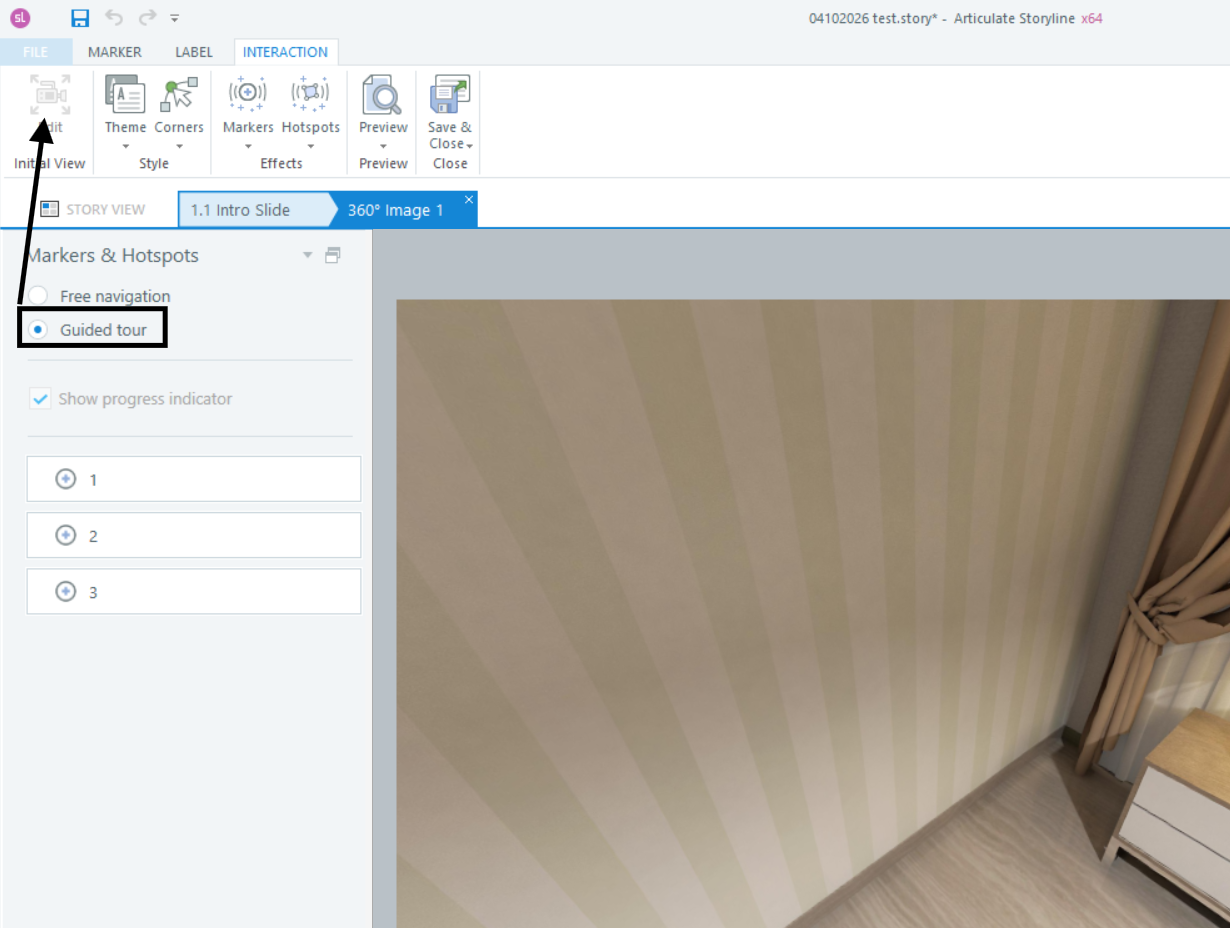
So in this case, the view defaulting to the first marker is expected, since the tour is designed to guide learners through markers in sequence.
If you need full control over the starting view, Free Navigation mode is the option that supports setting a custom initial view. In Guided Tour mode, the starting view is tied to the first marker in the sequence, which is why that setting isn’t available there.
I’ll also share this with our documentation team so we can look at making this behavior clearer in the article.

Thank you, Eric. I did eventually figure that out.
I'm used to much more flexibility than Storyline currently affords. I wish you would open up the full 360 immersive environment API to advanced developers, and maybe inherently support more features (as mentioned in my other threads on this forum).
- EricSantos2 months agoStaff
Thanks for following up, CarlFink1, and for sharing your perspective here.
I can see where you’re coming from. Having more control over the 360° image experience, including the ability to define the initial view in Guided Tour mode or access additional functionality through an API, would definitely open up more flexibility for advanced use cases.
I’ve shared your feedback with our product team so it can be considered alongside similar requests we’re tracking.
Related Content
- 2 months ago