Forum Discussion

FionaC
1 year agoCommunity Member
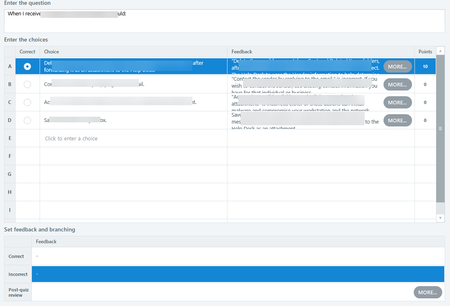
storyline 360 multiple choice feedback by choice Set feedback and branching Correct Incorrect
Hello, How do I set the correct and incorrect answers when using Feedback By Choice with multiple attempts. I have the correct answer select in the choices area but nothing is populated in the Set ...

JudyNollet
1 year agoSuper Hero
When you use the Feedback by Choice option, Storyline will show whatever feedback text is entered in the Feedback column. So, if the user answers correctly, they'll see the feedback entered for the correct answer. If they answer incorrectly, they'll see the feedback associated with that answer.
- When you go to Slide View, you'll see that there's a layer for each piece of feedback.
Unfortunately, it doesn't automatically change the name of each layer's button to "Try Again" or "Continue" based on the number of attempts. To do that, you'd have to add button states and your own triggers.
For more details about feedback and branching, here's the User Guide article: Storyline 360: Choosing Feedback and Branching Options | Articulate - Community
Related Content
- 6 months ago