Forum Discussion

AshleyS
7 years agoCommunity Member
The WRONG Images are Showing Up in Preview and Published Versions of Content
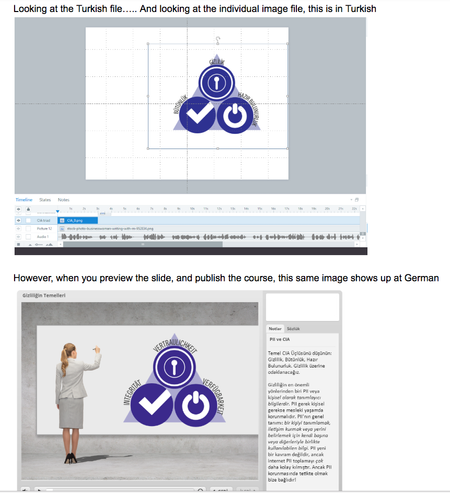
I have a super baffling situation for you that I hope someone can help us with. We're also talking to Tech Support, but so far no light has been shed.
We've never seen this problem before and not...

WendyFarmer
7 years agoSuper Hero
Hi Ashley
How frustrating for you and hard to say without seeing the files so just throwing some stuff out here...
- are any of the images on a master slide
- do any of the images have different states
- does each file only have the master slide set for it's language
times when I've seen this happen with mismatched images, it was a caching issue on the clients side so once we cleared their cache it worked - but seems you have looked at that.
- AshleyS7 years agoCommunity Member
Hi Wendy! Yes, it's super frustrating.
No, none of the images are on master slides.
A few of them do have different states, but they are all showing up as correct within the storyline file.
It's not a browser cacheing issue because we're all seeing it happen on our own computers, in different browsers, even after clearing the browser cache. And when viewing locally. (And when previewing inside of Storyline.)
Related Content
- 2 years ago
- 11 months ago