Forum Discussion

The WRONG Images are Showing Up in Preview and Published Versions of Content
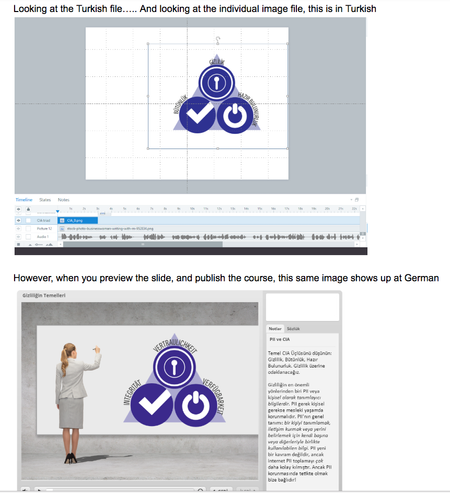

Hi Ashley,
You're exactly right - the additional assets you insert into your Storyline course are connected to the .STORY file in which you added them.
I saw you were working with Vevette on this issue before, and she engaged the help of one of our Senior Support Engineers. Jon will be in touch soon with some additional testing steps, and I'll follow along. I'm really curious to get to the bottom of this one!
- AshleyS7 years agoCommunity Member
It is certainly confounding. We've never ever seen something like this, and it is ONLY happening with one course and its language versions. NONE of our other courses are doing it. We've spent the last two days troubleshooting, experimenting, trying literally every single thing we can think of, and nothing works......
EXCEPT we found another computer in the office that still has an older version of Storyline (3.6.11) and that one published things properly. We do not understand at all. That would lead me to believe the problem is not with the FILES but something with the computers, or the temp/preview/publish files saved somewhere on the other 4 computers where we are experiencing this issue.
Besides the AppData > Roaming etc location where we can delete temp files, does Storyline save temp/preview files anywhere else that might be getting pulled in when publishing other files?
Related Content
- 2 years ago
- 11 months ago