Forum Discussion

The WRONG Images are Showing Up in Preview and Published Versions of Content
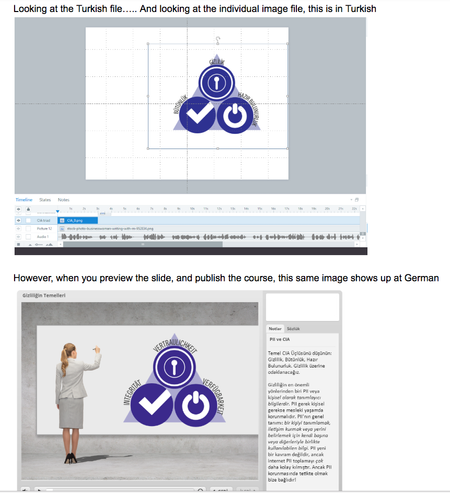

Man, it is frustrating when you are working over-time for free to finish a project deadline and the SW application isn't working correctly.
I am having the same problem but in Studio 360. The PPT deck has the correct picture, but after publishing, an incorrect picture (from another PPT deck) gets inserted into a slide. BTW, I did not have the other deck open while publishing the course.
I then did the three fixes described here (and the other linked above), namely delete temp files and folders from the two places in C:\Users\”username”\AppData\Local\... and RMC the picture > save as picture > save and rename on hard drive > replace the original picture with the saved one.
That time it fixed the original messed up slide, but it then put the same wrong picture on a different slide. I then repeated the picture replacement there too and it finally worked.
Related Content
- 2 years ago
- 11 months ago