Forum Discussion

ChrisMangione
12 years agoCommunity Member
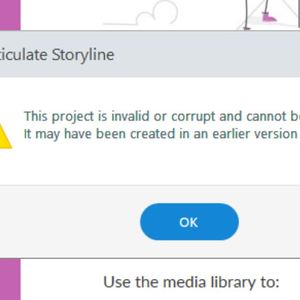
This project is invalid or corrupt......
I updated Storyline due to the latest release. I then attempted to open a file I had been working on just previous to this release and now I receive the error message - "This project is invalid or...

LeslieMcKerchie
6 years agoStaff
Hello Ruslan and welcome to E-Learning Heroes :)
Thanks for reaching out and letting us know that you're running into an issue with your Storyline 360 files.
Were you able to take a look at the documentation Ashley shared above regarding best practices?
There may still be a working version of your project in your temp files. Here's how to check:
- Open this folder in Windows Explorer: %appdata%\Articulate\Storyline.
- Scan the contents of this folder for a file that starts with the name of your project.
- If you find the file, copy it to your desktop (if you find more than one, copy the latest version).
- Change the file extension of the copy on your desktop from *.tmp to *.story.
- Double-click the file to open it in Storyline.
- RuslanRusiavyy6 years agoCommunity Member
I have carefully studied this post documentation before starting work. I did everything that was written there. However, all these advices did not help. I also searched for traces of my projects in the AppData folders, but there is nothing there. What should I do? Can you really make your application work?
Related Content
- 8 months ago