Forum Discussion

New in Labs: Block Defaults
Block defaults are still in development and will receive updates as part of Labs. Functionality will change over time. Some options could be modified, while others may be removed based on feedback and feature stability.
While theme settings in Rise 360 are a great way to modify the look of your training, there's currently no way to change the appearance of existing blocks and affect how your blocks appear by default. The block defaults experiment changes that by giving you background and font-size settings that affect all existing and future content in your training.
But that's just the start! We want to expand this feature so that it best meets your needs, and we need your feedback to do it. Read on to find out how to use block defaults and shape its direction.
Set Block Defaults
Start by enabling this experiment from the Labs section of your account profile. Then follow these steps:
- Open a course and click the Theme icon at the top of the screen.
- Select Block Defaults.
- Modify the block background and heading size. Use the example blocks on the right to see how your changes affect sample content.
- For each default you modify, click Apply to All and confirm. This overwrites the settings for all current blocks in your training.
Note: Modified settings become the default for new blocks only after you've clicked Apply to All. - Exit the Themes menu.
Revert Your Settings
A Snapshot with your original settings is saved just before the new block defaults are applied. Restore that Snapshot to revert to your previous settings. Any content created after you applied the new block defaults will be lost.
Block Defaults FAQ
Are there any accessibility or collaboration issues?
When using block defaults, please be mindful of accessible course design practices, especially regarding color contrast and text sizing. Only those collaborators who have the feature enabled will be able to modify block defaults.
Can I apply block defaults only to specific block types?
At this time, block default settings affect all block content in your course, regardless of block type. Quiz lessons aren't affected by block defaults.
Do you plan to add additional block default settings?
As part of this Labs experiment, we welcome your feedback as to what additional block default settings you'd find useful. Please see the next section.
Share Your Feedback
We're excited about block defaults, but we want to hear from you on how we can make it even better. Your feedback will directly influence development, so consider sharing your thoughts on the following topics:
- Uses. How are you using block defaults? Does the feature meet your needs?
- Bugs. Is anything not working as expected?
- Improvements. How could this feature be better? What defaults would you like to see?
- Insights. How does this feature benefit you and your learners?
You can enable and disable this feature from the Labs page in account settings. Share your thoughts in the Labs forum or by accessing the feedback form directly from within the feature.
Good news everyone! Based on your feedback, we've added continue block behavior to block defaults. Keep that input coming!
22 Replies
- AmeliaAltstadtCommunity Member
This is awesome to see, and it makes me excited for the potential with this feature!
While being able to set the default is great, we frequently alternate block styling throughout our courses for emphasis and chunking content.
This feature would be exponentially more valuable if it was expanded to Managing Block Styles- Block styles that are managed at the course level (or even the account level to apply across courses)
- Named(or at least numbered)
- Same items you can modify as what is shown for the Default blocks feature
- Applied individually and in bulk:
- Style an individual block (Format block)
- Select and style multiple blocks at once (Block Manager)
Here's a visual of the idea / functionality. Possibly a toggle option?
Thanks for the early vis!
Hi AmeliaAltstadt,
Thanks for testing out Block Defaults and sharing your feedback! I've logged your comments with our team.
- SusanSewellCommunity Member
Yes, being able to save more than one block style (I guess it's not a default if there's more than one) and apply to blocks would be nice. Also a way to truly set something as the default as well if most blocks are going to use some settings.
- Block styles that are managed at the course level (or even the account level to apply across courses)
- MeeraLynn-UKCommunity Member
Thank you for much for implementing the idea I suggested 5 months ago - Global Background Colour Setting in Theme View | E-Learning Heroes.
You guys are great at listening to your customer thank you! I hope this feature remains stable and stays after the current testing phase. Just tried it on my course and it's behaved as expected. 😃We love to hear it, MeeraLynn-UK! I'm glad you're enjoying this feature so far.
- HVfb0f498d-053bCommunity Member
Need to be careful when applying to all. I tried in my test course and it affected some custom blocks which were fairly basic, so unexpected, the positioning had changed., so I had text moved/overlapping icons.
Perhaps before applying could there be an alert saying: 'This will affect X blocks, are you sure you want to continue?' or do a quick summary list of all the affected blocks?
Thank you for sharing this issue. I saw it was submitted via the feedback survey this morning. Our team will look into it! In the meantime, please note you can revert your course to its previous state by restoring a snapshot which was automatically saved just prior to the bulk changes.
Thanks HVfb0f498d-053b
It looks like this issue was introduced by an unrelated update to Custom Blocks on Friday. The team has since reverted that change. Please let us know if you’re still seeing the problem.
If you published any courses containing custom blocks during that window, you may need to re-export them for the issue to be fully resolved.
- MeeraLynn-UKCommunity Member
I agree with HVfb0f498d-053b - my custom blocks are all messed up.
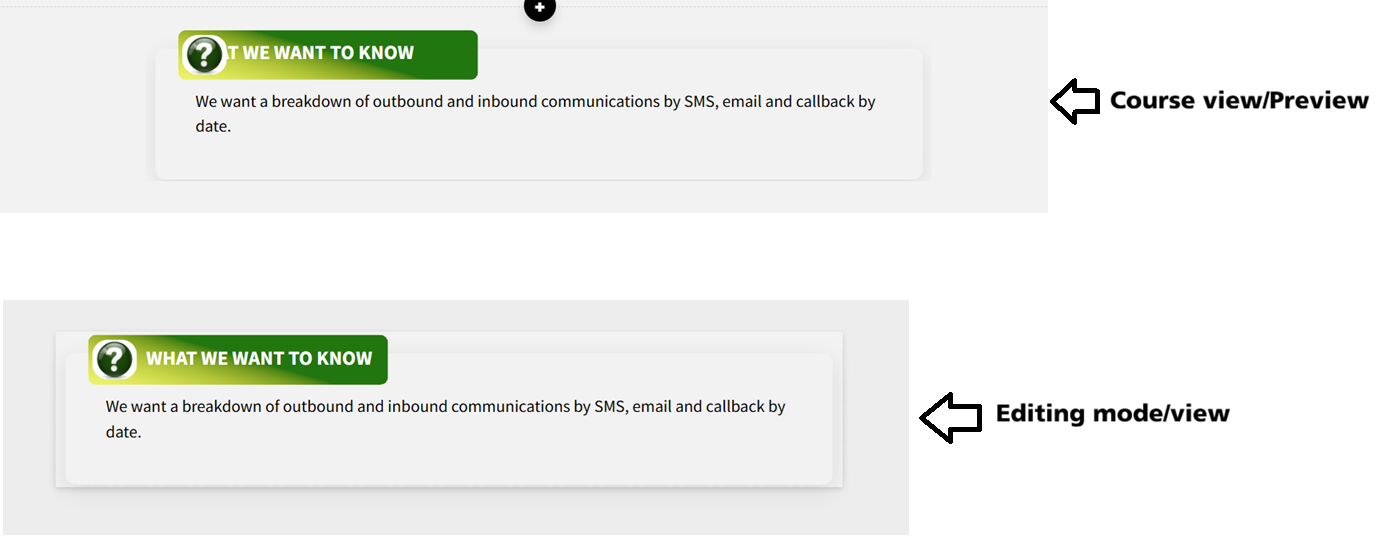
All of the text inside these blocks has shifted to the left and appears masked or hidden — it’s not visible at all.
The strange part is that everything looks completely fine in editing mode. The text only becomes misaligned or invisible when I preview the lesson or view it in the published course.
Because the blocks look correct while editing, there’s no way to fix the issue — there’s nothing visibly “wrong” to correct.
Thank you for submitting this via the feedback survey as well. Our developers will look into it.
For now, you should be able to reverse these changes by restoring a snapshot that was automatically saved before the bulk edits were applied.
- MeeraLynn-UKCommunity Member
- SusanSewellCommunity Member
The main thing I'd like to see in the Defaults setting is the font color. For a large subset of my projects I need all text to be in the client's branded color and it's a pain to have to set that in every block. (I get around this using blocks already, and using the Rise version of Paste Special to pick up the existing modifications, but it would be great if default font color could be part of the theme.)
- AmeliaAltstadtCommunity Member
I'd also love to see font color added!
SusanSewell and AmeliaAltstadt,
Thanks so much for your input!
- PaulBrewerCommunity Member
I love how easy this made it to change font size across all of my text blocks in a course. It would also be nice to be able to change the default font spacing, as that is currently block-by-block. I appreciated that on an existing course where my font spacing was already set, changing the default font size did not revert that change.
Quotes, statements, knowledge check blocks (both inside a lesson and inside a quiz), and some of the interactive blocks like the Labeled Graphic did not change their default font sizes.- OpforArticulateCommunity Member
I love the fact that we can bulk change font size for text blocks. It would also be nice if that were available for knowledge checks (question, answers and feedback) and interactive blocks (tabs and accordeons, flash cards, and, why not, sorting and matching (although I suppose the character limit could be an issue there).
Hi PaulBrewer,
We appreciate hearing your feedback! I've shared this with our product team.
Good news everyone! Based on your feedback, we've added continue block behavior to block defaults. Keep that input coming!
- amytautCommunity Member
It would be great to have control over spacing between paragraphs as part of a block defaults option.




Related Content
- 8 months ago
- 6 months ago
- 7 months ago