Forum Discussion

New in Labs: AI Avatars in Storyline 360
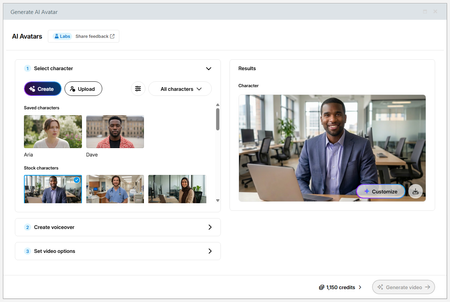

How do I edit my video? If I edit my video does it cost more credits to regenerate? When I generated it the 1st time, it put things in the video I didn't ask for.

Hi jkshenk,
Happy to help with this.
To edit AI Avatar videos in Storyline, first select the video on the Slide, then navigate to Video Tools > Options on the top ribbon.
There, you can open the Video Editor and make basic edits to the video itself. None of those actions consumes additional credits.
However, to make edits to the original Voiceover prompt, right-click your existing video and select 'Edit AI Avatar'.
Regenerating a video after making edits will consume additional credits.
Also, I'm sorry to hear that your output contains elements that shouldn't be included. I noticed that you've also been creating AI Avatars in Rise 360 and created a support case for this behavior. Smart move! I see that you've connected with my teammate, Lejan.
You're in excellent hands with him, and we can continue the conversation there!
Related Content
- 4 months ago
- 6 months ago
- 3 days ago