Forum Discussion

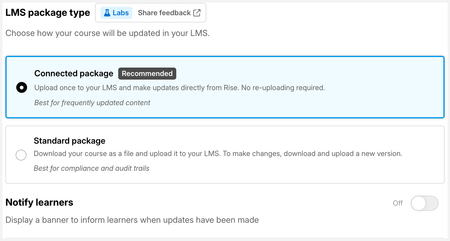
New in Labs: Connected Packages

I left this feedback through the form but also wanted to make it visible to any Docebo LMS users:
I downloaded the 2004 3rd ed SCORM for Docebo LMS. Several issues so far:
- If you add an exit button to the course, and learner clicks on Rise exit button while in Docebo player, the player will display a 404 message for about 2-3 seconds before returning to player table of contents.
- If you have a skip ahead quiz in your original published course and then try to delete it from Rise, it will show "processing" forever. Instead you have to convert the quiz to a normal quiz and then delete. That seemed to work and was reflected in the LMS, but...
- If learner's progress is stopped at lesson/quiz that then gets deleted on Rise side, and the learner returns to LMS, they will be greeted with a very blank page 😢
- Subsequent updates to the course did not work after this. LMS iFrame displays "Your content is loading" message and does not load Rise content.
What did work: Update banner 🎉
- catganim3 months agoStaff
JenLynnRusso Thank you for sharing this feedback, our engineering folks will look into this and we will reach out if we need more details.
- catganim3 months agoStaff
Thanks so much for the detailed write-up, this is exactly the kind of feedback that helps us improve Connected Packages, and I appreciate you flagging it for the community.
Issues 2, 3, and 4 (structure changes + blank page + content not loading)
These are all related to how the LMS handles course structure changes. When you delete a lesson or quiz, or make any change that alters the course structure, you'll need to toggle on Reset Learner Progress when publishing the update. This applies to Connected Packages the same way it does with standard LMS exports.
From our support docs: "If you delete a lesson in your course, then update the course in your LMS, some learners might see a blank page. If this happens, toggle Reset Learner Progress and click Continue to confirm. When learners launch the newly updated course, their progress will be reset. Their quiz data will be retained."
The full article is here with more scenarios that may be useful: Rise 360 Export to LMS, PDF, and the Web, bullet 6 is especially relevant.
Issue 1 (exit button → 404 flash in Docebo)
This one we want to dig into further. It may be specific to how Docebo handles the exit event, we haven't confirmed whether this is unique to Connected Packages or present in standard LMS exports too. I'm going to ask support to reach out to you for some specific info that would help us debug it.
Thanks again — really helpful report.
- Kathyksigstadon1 month agoCommunity Member
I’m getting the 404 error message in Absorb LMS upon Exit too. Have tried both ways of exiting - button block with Exit LMS and including and exit button in the export dialogue. This is preventing us from using connected packages.
- catganim4 days agoStaff
JenLynnRusso We pushed out a change for #1, the exit button issue, would you be willing to give this a fresh go and record your screen (if easily available to you) in case something goes awry? If it works, no need to send a video, if you run into an issue with the exit button, please share the video :)
- JenLynnRusso4 days agoPeer Guide
VICTORY! IT WORKS!! Thank you so much for all your work on this 🎉


Related Content
- 6 months ago