Forum Discussion

New in Labs: Connected Packages
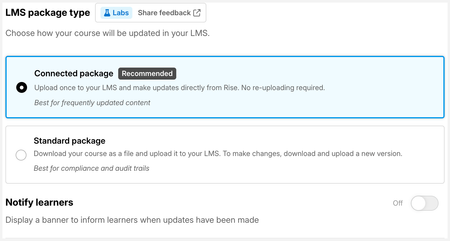

I am not able to get full screen video through video block or Storyline 360 block with this. I am using Workday as my LMS. I assume it might have something to do with that but not sure. Basically, the full screen button does nothing when you press it.
- LucianaPiazza2 months agoStaff
Hi EpicEdward,
Thanks for testing this in Workday!
The fullscreen issues you’re seeing with Storyline and video blocks in Connected Packages are both known limitations that we’re actively tracking.
In the meantime, if fullscreen is essential for your learners, the current workaround is to publish your content as a standard SCORM package.
- catganim1 month agoStaff
EpicEdward Closing the loop here for anyone reading later: fullscreen for Video blocks is fixed, and Edward confirmed it's working in his thread after refreshing his package. If you downloaded your package before August 18, make a small change to your course, click Update, then Download Package again and re-upload it to your LMS. Fullscreen for Storyline blocks is still a known issue with a fix in progress that we hope to have out very soon.


Related Content
- 8 months ago
- 2 months ago