Forum Discussion

New in Labs: Connected Packages
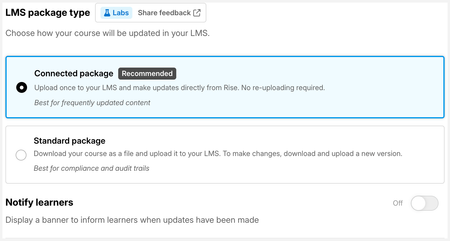

This feature (which we love!) works great at one location, but at another we've run into a snag in testing.
The location has whitelisted the appropriate URLs, and was seeing the course when we first launched it! However, we've attempted an update and she is now seeing this:
We are hosting this in Docebo. Earlier in the thread it was mentioned that someone may see a "blank screen" if they've already completed the course and attempt it again after we update and don't click "Reset User Process". Is this that? Or something else?
Thank you for your help in advance!

SaraCramer, thank you for the detailed report and the screenshot, that's really helpful (and we're glad the feature is working well at your other location!).
That message usually means the learner's saved place in the course points to a lesson that no longer exists after the update. A few questions so we can confirm:
- In Docebo, was this a new course, or did you replace an existing course’s package?
- What changed in the update? If lessons or quizzes were added, removed, or reordered, that’s a structural change. For those, turn on Reset progress after updates when you click Update now, so learners who are partway through start fresh instead of landing on a missing page.
- Had your tester finished the course, or were they partway through? Reset only applies to in-progress learners; completed learners aren’t affected.
- Could you share the course ID or the course's Rise authoring URL? That lets our engineers look at what happened on our side.
To get your tester unstuck, try pushing the update again with Reset progress after updates turned on, then have them close the course fully and relaunch it. Let me know how that goes, please
Thanks again for testing this with us!
Related Content
- 8 months ago
- 2 months ago