Forum Discussion

Detect all click or all keyboard events for trigger

CarlFink1: Here's the set up of your slide: "I have a slide where the user must interact with all three buttons before progressing. I start with Next disabled, and a variable increases each time one is clicked. When the count reaches 3, Next is [en]abled."
Unless you're also disabling each button when it is clicked or adding extra triggers like Andrew mentioned, counting clicks isn't a good option. For example, if a user clicks the same button 3 times, the count = 3.
Based on the description, I don't think you need any variables. Instead, give each button a Visited state, and use that to control Next.
- A button with a Visited state automatically changes to Visited when clicked. But that state can just be a duplicate of Normal if you don't want a visible change.
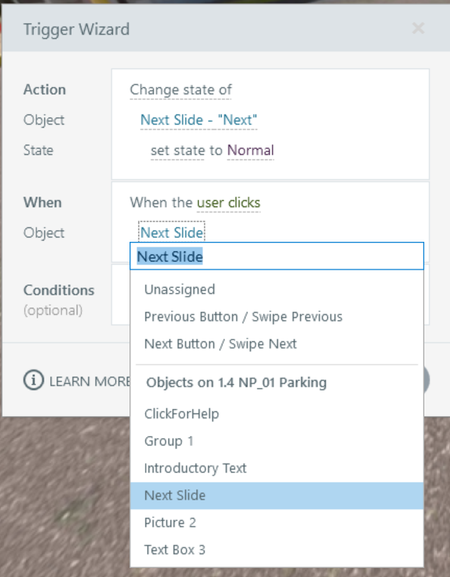
If the user remains on the slide after clicking a button, enable Next when all the buttons are Visited. That trigger would look something like this:
If the user jumps to another slide when they click a button, use a trigger that changes the state of the Next button to Normal when the timeline starts on the slide, with conditions that each button = Visited. (That could have an else statement that disables Next, so you only need one trigger to disable/enable.)
- Note: A “when timeline starts” triggers runs every time the user reaches the slide—even if the Slide Properties are set to “Resume saved state.” That's why that type of trigger often needs one or more conditions.
Related Content
- 4 months ago