Forum Discussion

The ability to create your own color scheme in Rise
Hello! I use Rise to create my training modules, and I would love it if I could create my own color scheme using my agency's brand colors. If, instead of having the static colors that are currently available within a Rise module, could it be changed so we can choose the colors we want for the module? It would be great to be able to indicate the color of font I want for headings, tabs, backgrounds, etc. without having to change each block as I go. It would be a great time saver! I maintain over 70 training modules, so changing the colors in every block gets very tiresome. Thanks!
Hello MichelleKiefer and JenLynnRusso,
We appreciate you sharing your voices with us! We understand that you are both looking for the ability to create your own color scheme(s) in Rise 360 and have it automatically applied across multiple courses, as it will assist in your workflows. We’ve shared this feedback with our product team. We'll be sure to update this thread with any future news, so everyone is in the loop.
Thanks for helping make Rise 360 even better!

4 Replies
- JenLynnRussoCommunity Member
This so much!! I usually end up making block templates to save me some time, but this can get unwieldy when you're dealing with so many templates 😖
Hello MichelleKiefer and JenLynnRusso,
We appreciate you sharing your voices with us! We understand that you are both looking for the ability to create your own color scheme(s) in Rise 360 and have it automatically applied across multiple courses, as it will assist in your workflows. We’ve shared this feedback with our product team. We'll be sure to update this thread with any future news, so everyone is in the loop.
Thanks for helping make Rise 360 even better!
- PhilFossCommunity Member
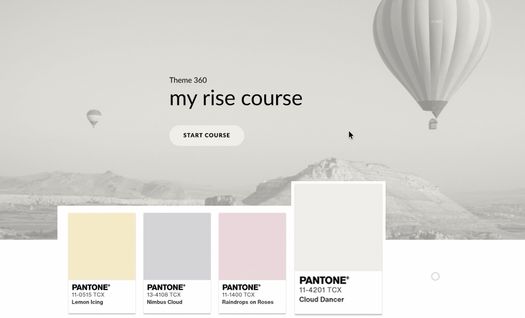
Michelle, I made this screen recording showing how to convert a palette of colors into color variables to be reused throughout your custom theme design. This was part of the recent e-Learning Challenge.


Related Content
- 1 month ago