Forum Discussion
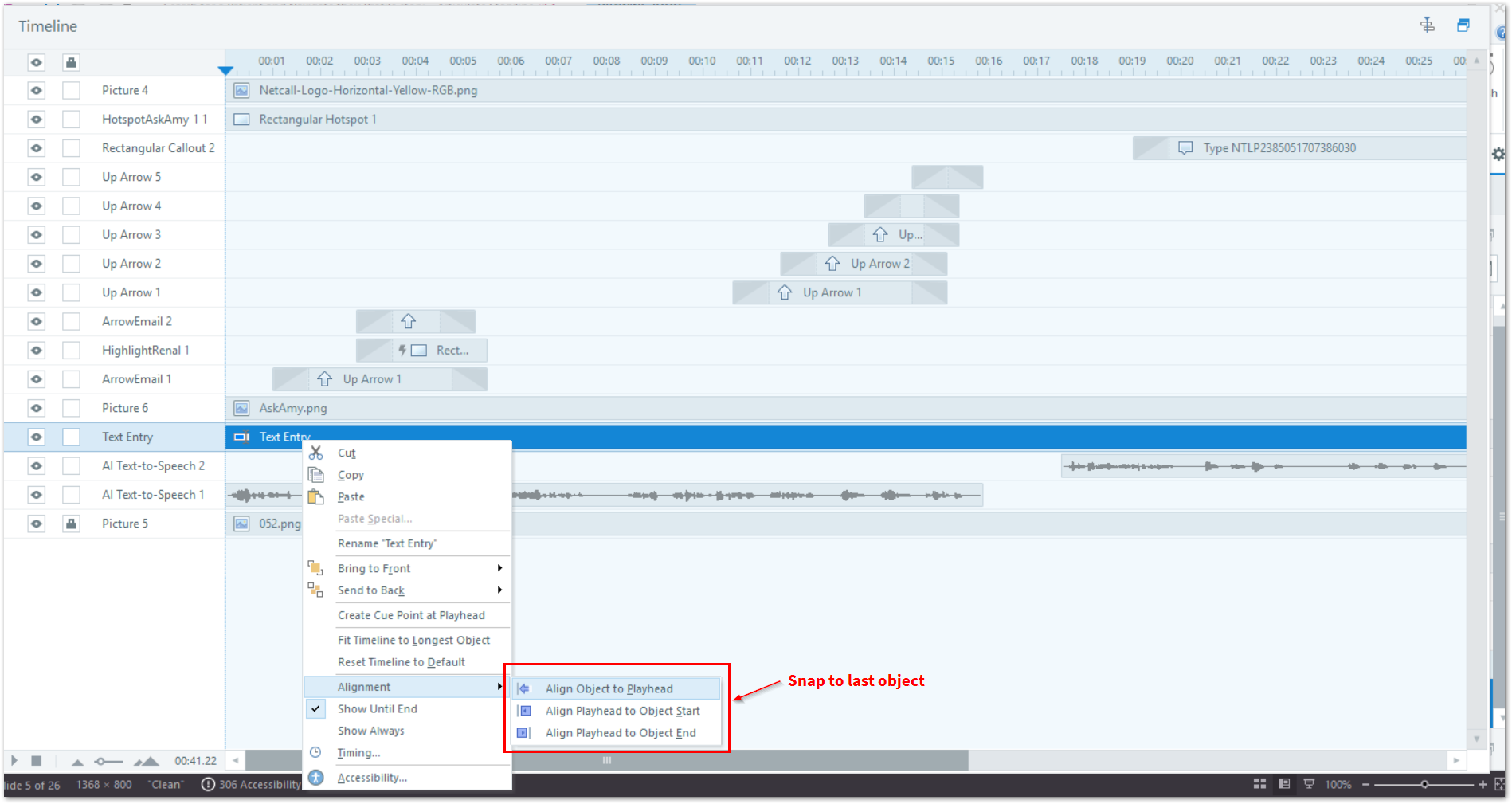
Timeline - Snap highlighted object to the previous object on timeline row just below
Add the ability for the currently highlighted object on the timeline to snap directly to the start of the object on the row immediately below. This feature would help remove empty gaps and make alignment between objects quicker and more accurate.
Why it matters:
- Speeds up timeline organisation by reducing manual dragging and alignment and using the long-winded Align playhead to object end > Align object to playhead.
- Ensures precise timing between related objects (e.g., syncing captions with audio).
- Improves workflow efficiency for slides with multiple elements and complex timing.
Implementation approach:
- Introduce a Snap to Previous Object Below option when dragging an object on the timeline.
- Alternatively, add a context menu command or shortcut key for quick snapping.
- Maintain flexibility so users can still manually position objects if needed.
Benefits for users:
- Eliminates unnecessary gaps, making timelines cleaner and easier to manage.
- Saves time when aligning multiple objects across rows.
- Enhances accuracy for time-sensitive animations and interactions.
Thank you.
2 Replies
- MeeraLynn-UKCommunity Member
Hello MeeraLynn-UK,
Thanks for sharing your voice with us and for including a screenshot! I understand that you'd like to have a 'Snap to Previous Object Below' option included in the timeline functionality to help with alignment of multiple objects, eliminating gaps, and maintaining accuracy for interactions. We’ve shared this with our product team so they're aware of how helpful this would be to your workflow. We'll share future updates in this thread so all are in the loop!
We appreciate your feedback to help make Storyline even better!

Related Content
- 5 months ago