Example

Meet Milton: The Crankiest Teller in E-Learning
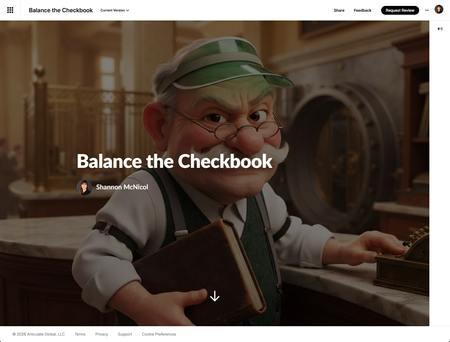

Loved the numbers scrolling down the sides and Milton. Personally, I don't have a great memory, so I think being able to click back to the first tab when you're on the second would be helpful. Maybe a bit of scaffolding or a hint if you're getting it wrong? Really liked the demo and the stages as well though. How did you create Milton's Pixar look, his voice etc. was that all via Claude?
- SMcNicol2 months agoCommunity Member
Thank you so much, I'm so glad the scrolling numbers and Milton landed well! He's become a bit of a favorite around here too 😊
Quick clarification on the "back to page one" note: that's actually exactly what the My Register and Calculator are there for on page two!
My Register shows the running numbers so you don't have to remember them, and the Calculator lets you add and subtract right there without leaving the page. Did those not show up clearly for you, or were they easy to miss? I'd love to know so I can make them more obvious if that's what happened.
I really like the scaffolding and hint idea too. Something that nudges you in the right direction when you're getting it wrong, instead of just marking it incorrect, could be a great next step for this one.
And yes, Milton was built with Articulate's AI Avatar! I wrote a prompt to get that Pixar style look, then picked his voice from the avatar gallery.
- HB281 month agoCommunity Member
Thanks! The memory problems I had was on the second stage - statement. It says some transactions didn't make it into the register, but I couldn't click back on the register to see what was incorrect.


Getting Started with the E-Learning Challenges
Find practical answers to common questions about the E-Learning Challenges, a weekly event that helps you build skills, create your portfolio, and grow as an e-learning professional.