challenge recap
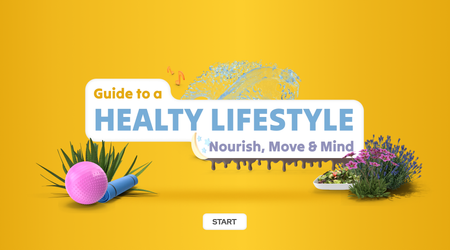
661 TopicsGuide to a Healthy Lifestyle: Nourish, Move & Mind
Experience it I recently saw an interactive e-learning example in a Mastercard and really liked how it embedded lots of info in a simple, clear way. It inspired me to try something similar—organising content into smaller, engaging chunks that are still meaningful. I thought of healthy habits right away—it’s a topic anyone can relate to, and some ideas immediately popped into my mind. Learning Goal & Audience Goal: Share the three basics of wellness—nutrition, exercise, and mindset—in a quick, engaging, and friendly format. Audience: Anyone looking for small ideas to improve their daily wellbeing. Concept & Structure I set it up as a three-tile menu: Eating Habits, Physical Activities, and Mental Health, each including key subtopics, brief explanations, a "Did You Know?" feature, and simple definitions to keep the content light but informative. The structure is flexible—you can easily scale the number of tiles, tabs, or content items based on your learning goals or time constraints. Visual & Interaction Design I used soft colours like blues, yellows, and purples to give it a calm and positive feel. I also added light background animation and small object movements to make the screen feel more alive without being distracting. Development & Triggers Each tile links to its own layer on a separate slide. I used buttons and triggers to keep everything smooth. Motion path animations were added to the pop-ups so they slide in nicely when opened. Tools Used Illustrator for the graphics Vyond for simple animations Articulate Storyline for building everything and setting up the triggers Challenges & Solutions I started with custom motion paths but switched to built-in animations—they worked better and were easier to manage. I also made small fixes to the GIF and icon states after testing, just to make sure everything responded well. Outcome & Next Steps I’d be happy to share my process in more detail if it’s helpful—always glad to exchange ideas and learn together. Let me know what you think—I’d love to hear your feedback! ...and let's share, connect, and inspire: my LinkedinInteractive Markers on a Car
Version 1 I saw this nice Polestar ad on my phone that had markers and labels that I thought I'd test with the morph. I I tried a few things: Create a slide with all of my elements. Add triggers to slides (need to change them after duplicating) Since the morph is only a transition between slides and I wanted all of my objects to transitions in and out the ones I wasn't using a made transparent. I think all of these "hidden" objects via transparency may be problematic. :) Attached is the file. Version 1: View demo Version 2 I tried a few novel things in version 1 that may have confused Storyline, so I simplifed the demo in version 2. Version 2: View demo. About Me I love helping people learn to use the Articulate software to meet their needs at work. I especially like to help those new instructional designers who are trying their best to get a handle on things. I regularly contribute to the training team's blog where we assemble all sorts of tips and tricks. Follow it to stay up to date. I post every Wednesday to Articulate's company blogwhere I share more general instructional design tips. I used to write the Rapid E-learning Blog. Still lots of good tips & tricks in there. Connect with me on LinkedIn and follow my YouTube for more tips & tricks.
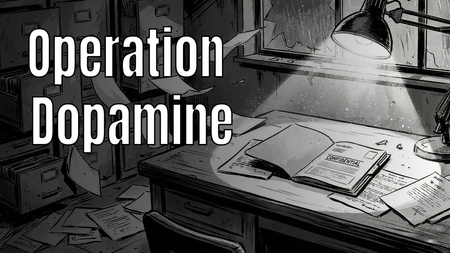
Case: Operation Dopamine - A Noir Comic Mystery
Hi E-Learning Heroes! 👋 For this week's Comic Book-Inspired Challenge, I decided to go full "Noir Detective" graphic novel style. 🕵️♂️✨ In my project, "Case: Operation Dopamine", the learner steps into the shoes of a private investigator exploring a ransacked laboratory. The mission? To find the 6 stolen components of Gamification (such as Engagement, Customer Lifetime Value, and Emotional Connection) and restore color to a black-and-white corporate world. 🔍 Play the interactive demo here: > Play Operation Dopamine I had so much fun blending storytelling, visual design, and instructional concepts into this one. I would love to hear your thoughts and feedback!223Views2likes4CommentsFore! 😱 First Aid on the Golf Course
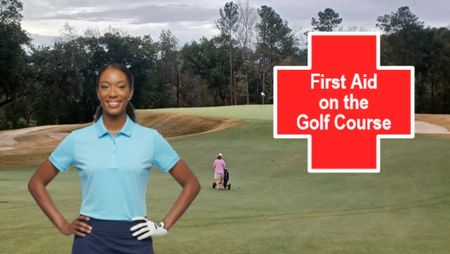
I could have made this longer but ran out of time. Originally, I wanted the scenarios to be videos but Veo 3.1 (Google Gemini) did not do what I wanted even though I used promptcowboy.ai for help. While some of the results were hysterically wrong, I couldn't use them. 😂 I used characters from Articulate, redressed and reposed them in Nano Banana (Google Gemini) and made them transparent with MS Designer, Articulate TTS, and the golf photos are mine (slide 1 is Yeamans Hall, Charleston, SC, 14th Hole - a great example of a Knoll hole, and the other background is Orchards Golf Club, South Hadley, Mass - probably the 6th hole lol I'm not 100% certain). https://360.articulate.com/review/content/6daebfc6-c8a5-4f7f-afc2-41b6e291ba22/reviewConnect to WiFi
Hello! For several weeks, TomKuhlmann has been sharing loads of great free characters 'that you can use as you wish' in elearning projects. I've been waiting for the right moment to use one in a Challenge. So here's Adam Kenner, guest-starring in my Comic Book-Inspired demo... This is built on one slide, with three zoom regions timed to highlight different sections of the comic book grid. The animation is largely achieved with state changes and some motion paths and emphasis animations here and there. Music from Suno, sound effects generated by Articulate's AI assistant. I adapted 'Adam' and created the barista and agent characters using NanaBanano in Pixlr. Connect to WiFi here: https://bit.ly/elhc541
Comics in Music Video
Corporate Rock, A Comic Book Take on Learning Through Music For this week’s Comic Book challenge, I leaned into bold visuals, panel‑based storytelling, and a little nostalgia to explore a simple idea: what if learning content worked more like Schoolhouse Rock? Corporate Rock is an experiment in using music and comic book visuals to teach workplace learning concepts. I partnered with AI throughout the process, starting with the design of a Knowledge Management course strawman, then breaking topics into short, focused scripts. One subtopic was transformed into a song using an alternating verse and hook structure, with spoken moments to reinforce key ideas. From there, AI helped generate detailed image prompts for each verse and spoken section, intentionally designed as comic book panels. Verses became three‑panel cartoon sequences, while spoken moments landed as single, punchy panels. Each image was generated with a consistent illustrated style to feel like pages pulled straight from a comic. The final step was bringing everything together into a music video, syncing the song with the comic visuals and editing it all in DaVinci Resolve. The result is a learning experience that blends instructional design, music, and comic storytelling to make content more engaging and memorable. This project was a reminder that learning does not always have to look like slides. Sometimes it can look like a comic book that rocks. https://360.articulate.com/review/content/60255320-a8d6-4676-bb6a-b112b189b074/reviewMission: Survive the Stakeholder 😅 | Things to Say & Not Say to IDs
Hi everyone! 👋 For this week's challenge, I decided to gamify the classic "Instructional Designer eye twitch" moments we've all experienced during project kick-offs. Welcome to Mission: Survive the Stakeholder! In this short interaction, you play as a project manager meeting with Alex, your ID. Your goal is to choose the right things to say to get the project moving without causing his stress meter to max out. Behind the scenes: Visuals: I generated the 3D Pixar-style character states using AI to capture those perfect, relatable expressions of creeping panic. The Tech: To make the stress meter feel fluid, I built a custom HTML/CSS/JS interaction and embedded it as a Web Object in Storyline. The custom slider is dynamically synced with the background video, so Alex's reactions update smoothly in real-time as your score changes. You can play the demo here: Mission: Survive the Stakeholder I had so much fun putting this together. I’d love to hear your thoughts! Did you manage to keep Alex calm, or is he currently updating his resume? 😂273Views5likes2CommentsSilent Signatures
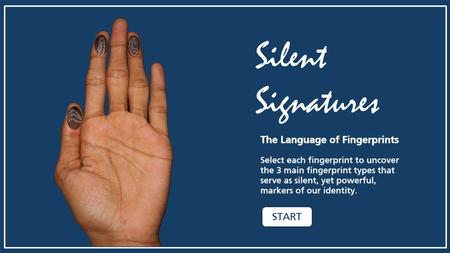
In this entry, you'll explore different fingerprint types. It was originally supposed to be created for the Magnify & Zoom ELC but time didn't allow so I adapted the idea to this challenge. I wouldn't have thought of a button set to accomplish this! Surely, I would have had layers and clutter on the back end so loving how much I'm learning from participating in these challenges. Silent Signatures DemoArticulate Challenge 542: Things You Should & Shouldn't Say to E-Learning Designers
I was halfway through my design for this Articulate Challenge when I realized how heavily the banner image influenced the aesthetic of my submission. Ah well! I set out to create a clean, somewhat playful design that is hopefully satisfying to click through. A variable dictates which result slide the user reaches at the end of the activity. You can access the activity here: Articulate Challenge 542.Can One Click Trigger a Cyberattack?
In today’s digital workplace, a single mistake can lead to serious business disruption. That’s why we developed a Scenario-First Cyber Awareness Activity that places learners inside a realistic cyberattack situation. Help your workforce learn how to spot threats, make safe decisions, and protect critical business data. See the Scenario-Based Training in Action https://www.swiftelearningservices.com/scenario-first-elearning-cybersecurity-awareness-training/300Views0likes4Comments