Video
9 Topics2025: The Year AI Landed
If you're hearing this message, the machines have won, and Instructional Design is dead as we know it... Hello! For this week's #ELearningChallenge I've created an interactive video portfolio to highlight four projects I built this year with the help of artificial intelligence. Despite the apocalyptic tone, I'm excited about the creative possibilities of generative AI. I certainly couldn't have made this last year. Videos created using Powtoon's AI Text to Video feature and edited with Camtasia. And just like my recent coffee-making demo, this is also fully accessible from the keyboard. Anywhere you see an underlined letter in a button, that key will perform its function. If you're wondering how I changed the colour of the captions from white to black, and back again, to improve legibility during the intro... Code to change captions to white // Stop any existing observer first if (window.captionObserver) { window.captionObserver.disconnect(); } // Monitor for caption changes and force white color window.captionObserver = new MutationObserver(function() { var allCaptionElements = document.querySelectorAll('[class*="caption"], [class*="acc-"]'); allCaptionElements.forEach(function(element) { element.style.setProperty('color', 'white', 'important'); var children = element.querySelectorAll('*'); children.forEach(function(child) { child.style.setProperty('color', 'white', 'important'); }); }); }); window.captionObserver.observe(document.body, { childList: true, subtree: true, attributes: true }); Code to change captions back to black // Stop the white observer if (window.captionObserver) { window.captionObserver.disconnect(); } // Apply black once var allCaptionElements = document.querySelectorAll('[class*="caption"], [class*="acc-"]'); allCaptionElements.forEach(function(element) { element.style.setProperty('color', 'black', 'important'); var children = element.querySelectorAll('*'); children.forEach(function(child) { child.style.setProperty('color', 'black', 'important'); }); }); And yes, AI helped me do this! Sift through the wreckage of my career here: https://bit.ly/elhc534 Oh, and shout out to any fans of SILO.
History and Progression of Cyber Threats
For this week’s challenge, we redesigned an existing cyber-awareness project and developed an interactive slide called “History and Progression of Cyber Threats.” Instead of presenting all information at once, we shifted to a click-and-reveal format, allowing learners to explore key developments in cybersecurity step by step. This approach increases engagement, supports retention and makes the topic more immersive and memorable. Take a look and let us know your feedback. https://www.swiftelearningservices.com/cyber-threat-awareness-elearning-sample-for-employees/50Views0likes0CommentsTrain Smart: Technique Quiz
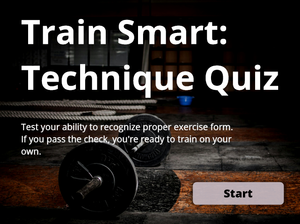
Hi everyone! This is my first time participating in an Articulate challenge, and I wanted to create something simple, practical, and useful for beginners at the gym. The idea behind this demo is a quick “form check”: learners watch short clips of common exercises and decide whether the technique is correct. If they can recognize proper form, great - they’re ready to train on their own. If not, the quiz recommends taking a few sessions with a coach to build a safer workout routine. Link to the quiz: https://360.articulate.com/review/content/d5fb412b-5b09-4e14-a5a4-6dda1c3fec32/review Video credits: All exercise footage comes from this YouTube video by Heather Robertson.Star Video Quiz - #530 Challenge
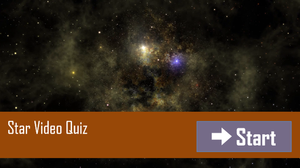
I did this challenge similarly to the main example. I have not used videos in this way before, but I thought it was more powerful than a standstill image in the quiz itself. I made the star symbols show both progress and accuracy by using T/F variables and setting those up with the states. Thanks for looking! https://360.articulate.com/review/content/79994263-d56f-42e6-b400-1167bec66e3d/reviewPush vs Pull E-Learning
I first shared this entry for another challenge. I am reposting it here because the format fits this week’s theme of using interactive videos for scenarios and quizzes. This project illustrates how Push and Pull methods influence learner engagement in a fictional onboarding scenario. In the Push approach, learners view a simple slide that lists the company’s core values. It presents the content in a passive way. In the Pull approach, learners watch a short video scenario and respond to branching questions that require them to apply the core values. The choices shape the path, giving the experience a more active feel. This comparison illustrates how interactive videos enable learners to connect core values to real-life situations. Link to the interactive: https://360.articulate.com/review/content/7ae3701d-f5ba-4ddd-ab68-e6686ccd66d3/reviewTransform Passive Watching into Active Learning!
We have created an interactive eLearning video with built-in quizzes that lets learners watch, decide and learn in real time, turning knowledge into action. Watch the eLearning sample now! https://www.swiftelearningservices.com/interactive-video-quizzes-for-corporate-training/Golf Course Etiquette Quiz
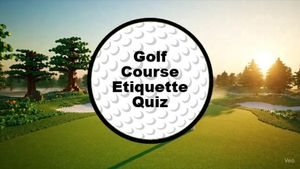
I like the idea of adding videos to a quiz! I used Gemini to create the videos and everything is more fun when there are Legos! I used Articulate AI for all the other images and applied the techniques from Tom Kuhlman's recent webinar "Edit AI Images Using Free Windows Tools" to remove the background from two of Articulate's AI images.Let's study the history of cheese
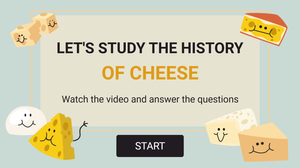
Hi everyone! This week I didn’t have much time to create something from scratch, so I decided to revisit some of my previous projects instead. And that reminded me of a quiz I made based on a video about cheese. The video is from TED Talks — their animations are absolutely stunning, and every episode feels like a real masterpiece. About Me Kate Golomshtok Website Email LinkedInMarried for Life
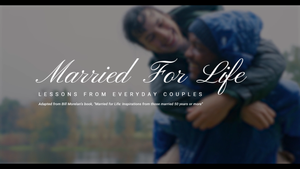
Spent a good amount of time yesterday reflecting on how lucky I am to find the love of my life when I did, and how much we've accomplished together over the last 16 years. When life gets stressful, we often flip through the pages of this book a good friend gifted us on our wedding day to help put things into perspective. The book is called Married for Life: Inspirations from those married 50 years or more, and it serves as the inspiration for this week's project which incorporates space for a moment to do your own reflection. Married for Life - Launch demo