avatars
8 TopicsI Built a Microlearning About AI Avatars Using AI. It Got Recursive Fast.
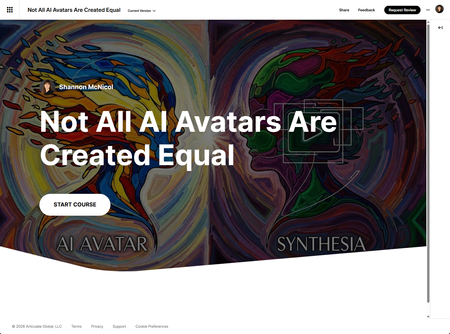
When Articulate dropped AI Avatar as a Labs feature in Rise 360, I did what any reasonable instructional designer would do: I decided to build a microlearning about AI avatars using AI avatars. Because nothing says "I understand this tool" like immediately using it to explain itself. The result is a five-slide Rise 360 course comparing Articulate AI Avatar and Synthesia — built entirely in Code Blocks, hosted by a custom AI avatar I created using Articulate's chat prompt interface, sitting side by side with interactive elements. The irony was fully intentional. The chaos was not. The Five Slides (Quick Version) Each slide uses a two-column layout with a styled vertical divider — video on one side, interaction on the other, alternating left and right so it doesn't feel like a template repeating itself. Slide 1 — Overview: Two flip cards, one per tool. Click to reveal what makes each approach distinct. Simple, satisfying, takes ten seconds to understand. Slide 2 — Feature Comparison: An expandable table. Click each row to get the real detail plus links to official docs. Because a static comparison table is just a spreadsheet wearing a costume. Slide 3 — Known Limitations: Six hotspot cards, color-coded by tool, each revealing a limitation and a workaround. My favorite slide. There's something deeply satisfying about making limitations feel like useful information rather than a product failing a job interview. Slide 4 — Best Use Cases: A branching scenario. Pick a real-world situation, get a tool recommendation with actual reasoning. No "it depends" cop-outs. Slide 5 — Knowledge Check: A three-question quiz with modal feedback and links to documentation. No video on this one — by slide five, learners have earned the right to just answer questions without another avatar staring at them. Just a heads-up: if your project includes videos, the upload might take a minute. Don’t panic—it’s a great time to go grab a coffee and a snack! ☕🍩 Where Claude Came In (Yes, I Used AI to Build the AI Course) Full transparency: this was a collaboration between me and Claude (Anthropic's AI). I used it throughout, and I'm not going to pretend otherwise. Narration scripts. Claude drafted the avatar scripts optimized for AI delivery — short sentences, natural pauses, clean endings. Of course, I read through the scripts and adjusted where needed. 😁 The HTML. Claude handled the code; I directed the design and tested obsessively in Rise. We went through more iterations on the flip card centering than I care to admit publicly. The honest version of AI collaboration: the AI does the parts that would have eaten your afternoon, so you can spend your brain on the parts that actually require a brain. What Articulate AI Avatar Is Actually Like The Labs label is accurate — this is a feature in active development, not a finished product. Generation is slow. Characters gesture like they're conducting an invisible orchestra (which is sometime funny). Backgrounds occasionally do things backgrounds shouldn't do. Videos can trail off without a clean ending if your script doesn't close well. None of these are dealbreakers. Workarounds exist: keep scripts short, end with a complete sentence, use simple backgrounds, test before committing to a full render. The thing that actually surprised me: Articulate supports illustrated characters in addition to photorealistic ones. Synthesia is photorealistic only. I created a fully custom avatar for this course using Articulate's chat prompt interface — described the role, the look, the setting — and used that same character consistently across all five slides. If your brand has a style that isn't "stock photo human," Articulate is currently your only option. That's a real differentiator and it doesn't get enough attention. The newest addition — video download — is what made this whole layout possible. Before, avatar videos lived only inside Rise. Now you can export the MP4 and actually do things with it. I took the intro video into Camtasia and added supporting images directly into the original avatar footage before dropping it into the course — something that would have been impossible when the video was locked inside Rise. Once it's an MP4 it's just a video, and your normal post-production workflow applies. Place it in the same folder as your HTML file, reference it by filename in the Code Block, and Rise serves them together. That's the technical trick the whole course is built on. Three Things I'd Tell Past-Me Test in Rise constantly. What looks right in a browser often breaks in the iframe. The centering problem I spent way too long on was one hardcoded pixel width on the body element. One line. Write scripts for the avatar, not for yourself. Short sentences. Periods where you'd normally use a comma. The script that reads slightly clunky on paper is usually the one the avatar delivers best. The ironic thing about this project is that I used AI to build a course about whether you should use AI. The answer? It depends on your use case and whether you've read the documentation. Conveniently, that’s also the core lesson of the course. Tools used: Articulate Rise 360, Articulate AI Avatar (Labs), Synthesia (for comparison), Claude by Anthropic. Not All AI Avatars Are Created Equal440Views8likes3CommentsFrom Wall of Text to "Whoa" — How AI Avatars Transformed My Payment Integrity Course
Let me paint you a picture. You've got a course on Payment Integrity. It covers things like predictive case prioritization, Coordination of Benefits, and pre-payment accuracy. Important stuff — genuinely! — but let's be honest: the source content reads like a terms-of-service agreement had a baby with a compliance memo. My learners deserved better. So I went full AI on it. And I am not mad about the results. Step 1: Turning Dry Text Into Something People Actually Want to Watch I had dense, text-heavy content covering three core themes for AI Payment Integrity program: Expertise — the depth of knowledge behind the system Creating Clarity in the Payment Workflow — how AI cuts through the chaos Full Transparency — giving providers and payers a clear view of decisions I took those blocks of text, rewrote them into short, punchy scripts, and handed them off to Synthesia. If you haven't used it yet — buckle up — because you pick an AI avatar, paste your script, and out comes a polished talking-head video in minutes. No camera. No studio. No "uh, can we do one more take?" Three scripts. Three avatars. Three videos. Done. Step 2: Okay But How Do I Display These Things? Here's where it got fun. I knew I wanted all three videos on one screen — side by side, no scrolling, no clicking away to a separate page. Rise 360's native video block is great, but it wasn't going to give me the layout control I wanted. So I turned to Claude (hi 👋) and asked for a custom HTML code block. My requirements were simple: All three videos, centered, displayed together Each video with its own player controls If a learner hits play on Video 2 while Video 1 is already running — Video 1 stops automatically. No audio chaos. No dueling narrators. Oh, and make it look good. Like, actually good. What came back? A fully self-contained HTML file with a dynamic animated background — deep navy blues, drifting light orbs, a subtle moving dot grid — and three video cards with a glowing border that activates when a video is playing. The mutual-exclusion audio logic was handled with a clean JavaScript event listener setup that plays perfectly inside Rise 360's iframe sandbox (a detail that matters more than you'd think, trust me). I dropped it into a Rise 360 Code Block as a project — which lets you upload the HTML file along with all your assets (hello, MP4s!) as a bundled package. No external hosting needed, no fussing with absolute URLs. Everything travels together, nice and tidy. The Result Learners land on a screen that doesn't look like a compliance module. It looks like something they'd actually want to explore. They can choose which video to watch first, control their own pace, and the whole thing just… works. No overlapping audio. No broken layouts. No "why is this so small?!" (Okay, there was one round of "make the videos bigger" but that's what iteration is for.) What I Learned AI avatars remove the "production bottleneck" excuse. No more waiting on SMEs to be camera-ready. Scripts become videos in the time it used to take me to schedule a recording session. Claude + Rise 360 Code Blocks = a surprisingly powerful combo. If you can describe what you want clearly, you can get custom interactive HTML that Rise can't produce natively. The key is being specific: layout, behavior, visual style, edge cases (like sandbox iframe restrictions — yep, that's a thing). The sum is greater than the parts. Synthesia gave me polished video. Claude gave me a polished container. Together they turned a dry Payment Integrity module into something I'm genuinely proud to publish. Your Turn If you've been sitting on text-heavy content and wondering how to make it feel modern — try this combo. Pick your AI video tool, write tight scripts, and don't be afraid to ask for help building something custom to display them. Your learners will notice the difference. And honestly? So will you. Understanding Payment Integrity359Views8likes2CommentsUsing AI Avatars to Enhance Immersive Learning - Inside Tesla's World
This challenge was an opportunity to explore how AI avatars can be used to enhance engagement within a learning experience, not by over-guiding the learner, but by setting the tone and creating a stronger sense of immersion. Rather than using a traditional narrator or static introduction, I wanted to introduce the experience through a character. To achieve this, I first generated an expressive avatar. This allowed me to create a consistent visual identity that felt aligned with the theme of Tesla and the overall environment. The avatar is used intentionally and sparingly to introduce the experience and reappear at key moments while the learner remains in control of the exploration. This approach helps maintain immersion without overwhelming the experience. The aim was to demonstrate how AI-generated avatars can be used in a simple, practical way within tools like Rise and Storyline Check out what I created in response to this week's challenge by clicking here. to elevate storytelling, create presence, and make digital learning feel more human and engaging.599Views8likes2CommentsThe unlikely return of Jobsworth
Hello! For this week's challenge, I used the 'Upload Character' tool in the new AI Avatar feature to resurrect Jobsworth, my robotic compliance officer from Challenge #412. It took only a few minutes to generate the voiceover and video. I have to say, the results are pretty impressive! Looks like my days of animating characters using state changes might be numbered. Check it out for yourself here: The unlikely return of Jobsworth 210Views2likes4Comments
Welcome video
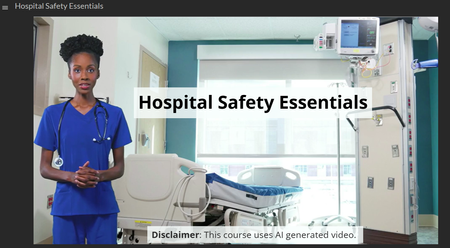
This example was created using a new feature from Rise Labs. I used the AI Avatar designed to welcome learners and introduce the objectives of the training. From a pedagogical perspective, AI avatars can be a powerful tool to engage learners at the start of a course, create a sense of presence, and clearly communicate learning goals. However, this type of tool should be used carefully to avoid cognitive overload. With this feature, we are given 1,200 credits, which correspond to 1,200 seconds of video content. This encourages intentional design choices and reinforces the importance of focusing on high‑value moments, such as course introductions or key transitions. From a technical standpoint, there is still room for improvement, particularly regarding mouth synchronization and eye movement. Nonetheless, this is a very promising start, and I’m curious to see how this technology evolves and how it can be integrated meaningfully into learning experiences.440Views0likes2Comments