challenge
21 TopicsTravel Alberta Slider Game
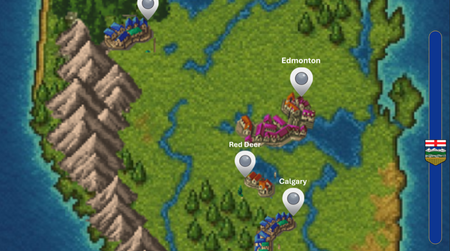
https://360.articulate.com/review/content/53628b3e-d00e-4c31-aca4-6d4d9ac6c704/review My entry for the Using Sliders for Accessible Drag-and-Drop Interactions weekly challenge. Using the slider you can go north or south across the province of Alberta and click on some of the cities to answer trivia. THE BUILD. A total of 8 sliders make this up. Each of the 6 icons on the map is its own slider that is linked to the main slider so they all move in unison. Of course, the map itself is a slider as well, and once again attached to the main slider. That's all there really is to it. The hard part was adjusting the size of the map as a thumb so that is fit properly on the slide.Mind Games: Defeat Your Decision-Making Biases
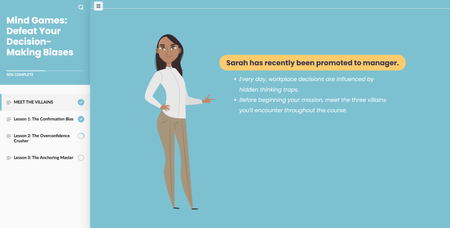
Hola....Mind Games is a scenario-based learning experience designed to raise awareness of cognitive biases in the workplace. Learners progress through interactive challenges, identify hidden biases, and apply critical thinking techniques to improve decision-making. I incorporated a comic book aesthetic into the scenarios to create a narrative-driven learning experience. CLICK LINK TO VIEW Any feedback is appreciated!Beyond the Feed: How to Spot Media Bias
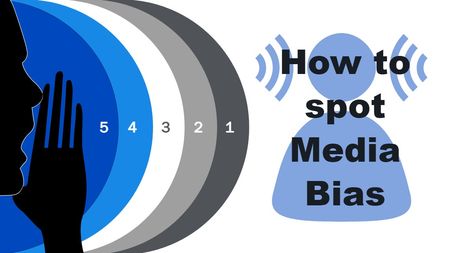
Linky I couldn't think of any good FAQs about elearning 😫 but it was still a fun project. I watched the Articulate accordion webinars from last year and they were so helpful! Maybe, in my spare time (haha) I'll figure out how to animate the accordions without it affecting the voiceovers. I used Articulate stock icons, pictures, and videos, and used Gemini with script assistance and to generate some videos. I set up the color theme and fonts from the Ad Fontes site adfontesmedia.comCyber Shield
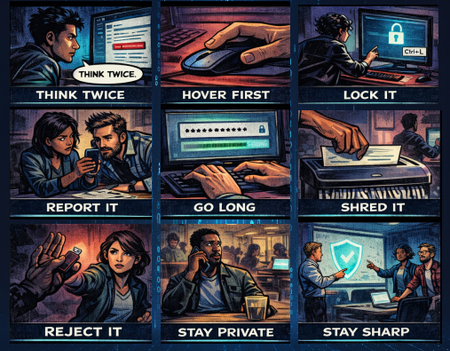
I had so much fun with this week's challenge! I created "Cyber Shield" - a cybersecurity awareness course designed as a noir comic book. The concept is simple but impactful: 9 essential cyber safety habits, each told through a single comic panel with a short, punchy caption. Audio narration expands on each tip as the panels are revealed one by one. What I focused on: Dark noir comic book aesthetic with consistent visual style across all panels AI-generated images using ChatGPT for the comic panels Audio narration for each tip, keeping the on-screen text minimal (1-2 words per panel) while the voiceover carries the detail Tools used: Articulate Storyline 360 ChatGPT (image generation) ElevenLabs (voiceover) Pixabay (sound effects) View the demo here. ABOUT ME: I'm an Instructional Designer who loves creating interactive e-learning experiences that are engaging, visual, and fun to build. Connect with me on LinkedIn!Every home hides a perfect match
One image. A blur effect. Six slides. I wanted to see how much instructional work a single visual treatment could do. Turns out, a lot. Each slide reveals one house from the blur, holds attention exactly where you want it, and the re-blur before the knowledge check naturally shifts learners into application mode. The final clear reveal just feels good. Content is AI generated example work (real estate agents matching clients to homes) but the blur technique is the real focus (pun totally intended). Take a look: https://storage.googleapis.com/portfolio-elearning-2024/Using%20Blurred%20Backgrounds/story.html Anyone else leaning on visual treatments to do structural heavy lifting lately?Blurred Backgrounds for Cleaner, More Engaging eLearning
We have developed an eLearning sample using blurred backgrounds to improve readability and enhance learner engagement, all while maintaining a clean and simple design. Have a look at our sample and let us know your feedback. https://www.brilliantteams.com.au/how-blurred-backgrounds-improve-elearning-readability/Challenge #545: Dynamic Blur Effect & Blue Carbon 🍃
Hi everyone! 👋 For this week's challenge on increasing readability with blurred backgrounds, I wanted to combine visual contrast with a mini-lesson on Mangrove ecosystems and "Blue Carbon." Mangroves are beautiful, but their intricate root systems create a very "noisy" background that completely swallows any text. To fix this, I decided to go beyond a static before-and-after slide and make the blur interactive. Behind the Scenes: Instead of using multiple image states or transparent shapes, I used a single high-res image and linked a Storyline slider to a JavaScript trigger. As you drag the slider: JS dynamically increases the CSS filter: blur() property of the background image. A dark overlay dynamically increases its opacity up to 40%. The hidden information blocks smoothly fade in. This approach keeps the file incredibly lightweight and makes the transition buttery smooth! Dynamic Blur Effect & Blue Carbon 🍃 I'd love to hear your thoughts!Challenge #544: Brand Storytelling Accordion (Powered by AI & JS!) 🚀
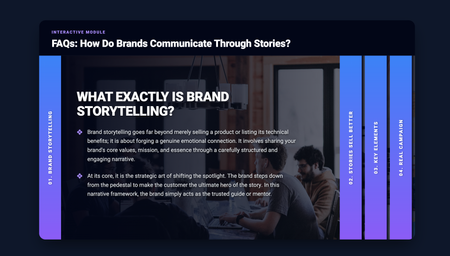
Hi everyone! 👋 Here is my entry for this week's Accordion Interactions challenge. For the content, I decided to focus on Brand Storytelling and how brands communicate through stories rather than just hard data. I thought it would be a valuable mini-lesson for anyone interested in marketing or instructional design. But the most exciting part for me was the behind-the-scenes creation process! Yesterday (March 24th), I had the opportunity to attend the "10 AI Assistant Capabilities You’re Missing & 10 Tips to Master them" event by David Anderson, which discussed the implementation of the AI Assistant in Articulate. Around the same time, I watched an excellent video tutorial by Learning Dojo titled "Building a Sliding Accordion with New Learning Prompts Tool". I felt so inspired that I decided to test out the prompts from prompts.learningdojo.app mentioned in the video, implementing them directly into the Articulate Storyline AI Assistant. To my surprise, it worked wonderfully! 🤯 The AI generated the structure for a fully functional HTML/CSS/JS accordion. I simply placed it inside an "Execute JavaScript" trigger when the timeline starts on a blank slide. Then, from my side as an instructional designer, I only had to tweak the CSS styles (giving it a clean design with a deep blue/purple gradient) and make a few minor adjustments to the code to structure the content into two levels and ensure the text fit perfectly. I think this is a fantastic tool and workflow for adding interactive and custom UI elements to our courses. AI keeps surprising me every day! You can check out my interaction here: Brand Storytelling Accordion Hope you like it! I'd love to read your feedback.Accordion FAQs
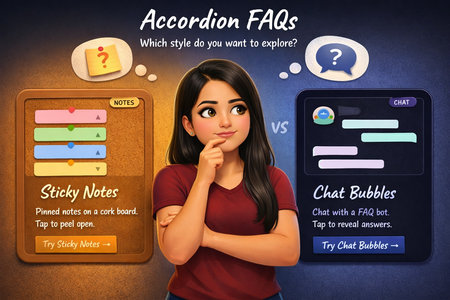
What if an accordion FAQ didn't have to look like one? For this week's challenge, I built two completely different takes. One is styled as sticky notes pinned on a corkboard, where each note peels open on click, and one is a chat conversation where tapping a question triggers a typing animation before the bot replies. Both in Storyline 360 on a 9:16 canvas, with a selection screen so you can pick which style to explore. Check it out here! Would love to connect on LinkedIn and exchange ideas!