interaction
40 TopicsTravel Alberta Slider Game
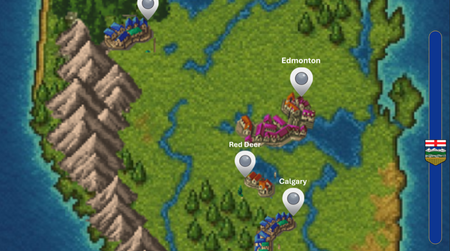
https://360.articulate.com/review/content/53628b3e-d00e-4c31-aca4-6d4d9ac6c704/review My entry for the Using Sliders for Accessible Drag-and-Drop Interactions weekly challenge. Using the slider you can go north or south across the province of Alberta and click on some of the cities to answer trivia. THE BUILD. A total of 8 sliders make this up. Each of the 6 icons on the map is its own slider that is linked to the main slider so they all move in unison. Of course, the map itself is a slider as well, and once again attached to the main slider. That's all there really is to it. The hard part was adjusting the size of the map as a thumb so that is fit properly on the slide.Click. Explore. Stay Secure. – Cybersecurity Awareness Made Simple
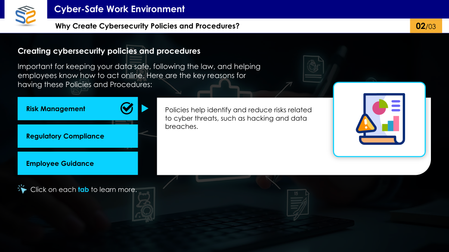
This interactive eLearning module uses a tab-based design to help corporate employees understand essential cybersecurity policies and procedures in a clear, engaging way. Click the link to explore cybersecurity awareness the smart way: https://www.swiftelearningservices.com/cybersecurity-awareness-course-elearning-challenge-517/Designing for Everyone
Link to course: Designing for Everyone: Accessibility in Design is a Way to Express Care This was more challenging (learning opportunities) than expected for a number of reasons. Test revealed just how much more I have to learn. I look forward to feedback on ways to make it better and more accessible. I designed this experience to be useable with a keyboard and with a screen reader to align with the perceivable and operable principles of POUR (Perceivable, Operable, Understandable, Robust), established by the Web Content Accessibility Guidelines (WCAG). It is a work in progress, not finished, because I learned a lot that needs to be considered and done for better accessibility. What was accomplished No content relies on color alone, animation alone, or a mouse alone. The slide content includes: Interactive elements with real controls Messages are available as text Focus Order follows visual layout (use the info icon on each slide to view the Focus Order) Accessibility is more than checking the boxes. It is about considering whether your design still works when the assumptions about users are removed. It is about Designing for Everyone. The Goal This project was designed to show how accessibility performs in the real world. The project aims to demonstrate outcomes, the same message, experienced through different access needs. It focuses on peoples’ experience with digital content. The Problem Many “accessible” examples stop at checklists. Here the focus is on how design decisions affect real users. This experience intentionally attempts to show both failure states and equivalent, accessible solutions. Key Design Decisions Screen reader friendly structure: Reading order is manually controlled. The message is real text. Alt text is used only when it adds meaning, decorative visuals are marked as decorative. Keyboard only interaction: Every interactive element is reachable using Tab, Enter, and Space. Visible focus states are always present. If content can’t be experienced without a mouse, we revisit before releasing.177Views1like0CommentsCreate Your Personalized Valentine eCard Now ❤️
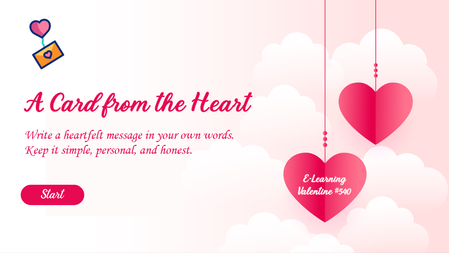
Want to see how interactivity transforms engagement? Explore this Valentine-themed eLearning module featuring: Personalized messaging Digital card creation Interactive design elements A simple example of how custom eLearning development enhances user experience. Try It Now to Create Your Personalized Message. https://www.brilliantteams.com.au/personalized-valentine-ecard-custom-elearning-design/177Views0likes0CommentsLove or Red Flag – Valentine’s Edition 💘🚩
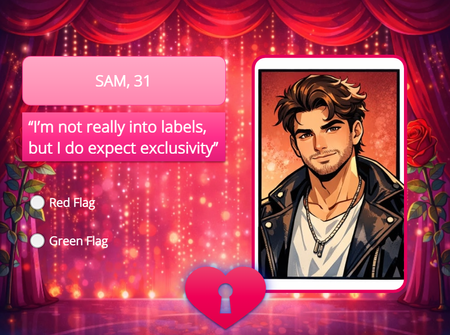
Test your instincts in this quick and playful February 14th challenge! Read each scenario and decide: Is it a swoon‑worthy green light… or a total red flag? Perfect for a lighthearted break, this mini‑game blends humor, relationships, and a touch of Valentine’s Day charm. See how your choices stack up—and maybe learn something new about what makes a perfect match! Love or Red Flag?200Views1like0CommentsValentine Themed eLearning Content Development
Inspired by the Valentine theme, we developed a gamified cybersecurity eLearning module that integrates interactive learning design, and gamification. Rewarding learners with a heart for every correct answer while delivering engaging, compliance-focused workplace training. Explore the demo to see how creative eLearning development: https://www.swiftelearningservices.com/valentine-themed-elearning-content-development-cybersecurity/137Views0likes0CommentsKicking around the idea of adding a sports theme quiz
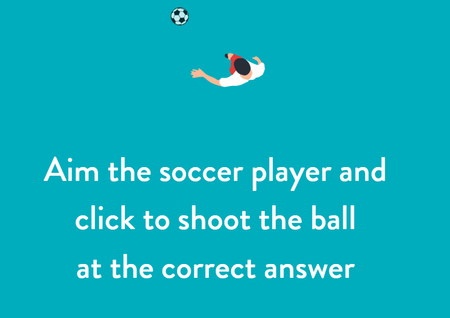
This would be for the Mathlete. Inspired by this weeks challenge of using sports training and education theme, I developed an interactive math quiz in Articulate Storyline designed to engage learners through a fun, sports-themed experience. The activity encourages participation, using JavaScript shared by WWW.MINDSPARKELEARNING.COM to enhance interactivity. ViewTable Tennis Training for Skill Development
We created this eLearning sample to show how interactive, skill-based learning can improve performance using a simple game-flow model, based on a Table Tennis. You’ll see: Click-based sequencing interactions Clear feedback and hints Practice-focused learning design Explore the eLearning Challenge https://www.brilliantteams.com.au/table-tennis-training-skill-based-custom-elearning/Golf: Taking Relief from a Red Penalty Area
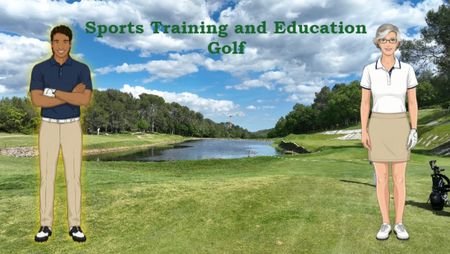
Another fun challenge! 😁 When playing golf by the rules, it can be frustrating trying to interpret all the USGA rules. These days, I play for fun. I'm not a professional, so why should I have to follow their rules? 😂 However, if you are a serious player, knowing the rules can make or break a match game or club championship! This explanation on one rule will help, and I put the link to the official USGA rule in the Resources if you want to read the official version. Technical bits: I used Marylin & Jonah characters from Articulate but modified them in Gemini Nano Banana to redress them in golf clothes and change poses, then used MS Designer to remove the white background. I used an Articulate stock video and an illustrated golf course (that I modified in Gemini to make it look photo-realistic). And, the last photo in the first slide is me on the tee at Frenchman's Creek, Palm Beach Garden, FL (and yes, I made it over the water). 🏌🏾♀️⛳ https://360.articulate.com/review/content/f2702a5d-843e-4541-b387-fcca5c6321a3/reviewTeaching Advanced Football Actions Through Interactive eLearning
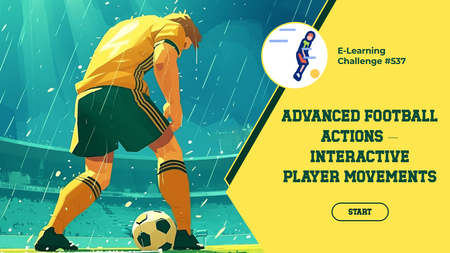
We designed a short, interactive learning experience focused on teaching an advanced football concept in a simple and engaging way. Explore the Interactive Learning Experience. https://www.swiftelearningservices.com/custom-elearning-click-and-reveal-football-training/