interactive video
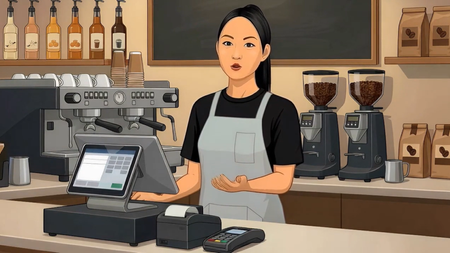
19 TopicsFirst Day on the Job - Learning the Espresso Machine
Hi everyone! For this week’s E-Learning Challenge, I decided to have some fun and see how many new skills I could implement in this café-inspired mini-video quiz. I am brand-new to Storyline, so I welcome any and all constructive feedback! For this project, I tried out the new AI Assistant Avatar feature to create the barista and produce the voiceovers. I think you all will find the final video rather amusing—the system overdid the character animation a little, and I honestly found it quite humorous! Since this is a practice project, generating another variation would just waste credits, but it taught me what to expect and how to better prompt the tool next time. The audio in the beginning and end was generated by Storyline, and the music at the end (‘Background Jazz’ by PulseBox) I got from FreeMusicArchive. Having the AI generate the videos left me with plenty of time to invest in learning basic triggers and layers for the interactive quiz. I also got well-acquainted with formatting these elements and adjusting how they appear on the timeline. These weekly challenges are so beneficial—they place you right into the software, spark creativity, and build the perfect environment for learning and retaining a solid repertoire of skills for flagship portfolio development. Happy creating! LINK TO PROJECT: https://360.articulate.com/review/content/7b08a5e4-7a00-4071-9ea2-87661a08e210/review412Views11likes4CommentsWorking at Height
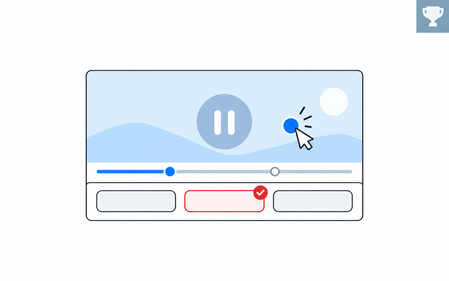
Hi everyone! We recently finished an interactive video project called Working at Height, so I thought I'd share it here. We wanted to explore how video could do more than just present information. The learner follows a construction worker through different safety situations. At key moments, the video pauses, and the learner needs to decide what happens next. Each choice leads to a short video showing the consequences, followed by feedback. We also added a final challenge where learners explore a construction site and identify potential hazards. The 3D-style videos were AI-generated, and we built the interactions in Articulate Storyline 360. It's an independent portfolio concept, not validated operational safety training. Would love to hear what you think! 🙂 Try it here: Working at Height - DEMO https://360.articulate.com/review/content/cdc1510a-5b5d-4433-a2db-b7f3bb7b330e/reviewOwn Your Own Growth Personalized Coaching Video
Own Your Growth is an interactive coaching experience that helps experienced professionals identify development barriers, practice strategies, and commit to their next step. In the video, learners reflect on their development goals and what barriers they face to achieve them. The video branches depending on the learner's accountability style and how they prefer to be coached. While some people prefer supportive dialog and a detailed approach to next steps, others just want to be given a runway. Each style has an opportunity to practice a real world situation and at the end of the video, the learner can get a prompt to use in their LLM of choice to create a custom development plan and continue growing post-video. Here's the link to the video: Own Your Growth Interactive Coaching VideoTurn Any Recording into Interactive Video Training
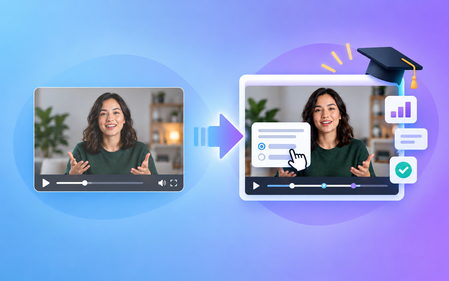
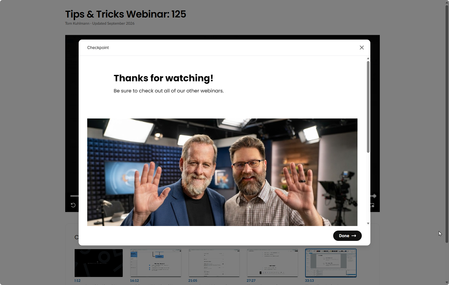
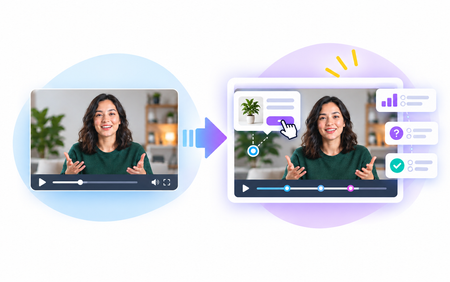
Recorded calls and presentations can be useful resources on their own, but with the Interactive Video content type, you can turn passive recordings and videos into meaningful training experiences. In this session, you will learn the fundamentals and best practices for using this format effectively.1.1KViews0likes0CommentsSafety First Policy
Here's a demo I created for a webinar session. In this particular activity, an executive shares something concerning that happens at work. There's one checkpoint as an affirmation (checkbox list). I also added a guestbook for this demo to show how one would track users since this was a compliance issue. I created the avatars in Rise using the AI Avatars and then downloaded them and did the final edit in a video editor to compile the five clips. View demoSales Objection Handling
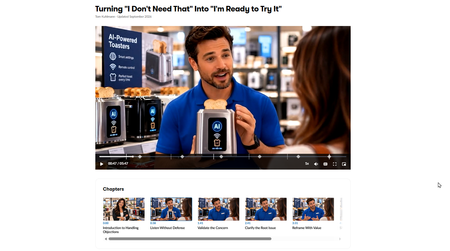
In this example, there are three people: advisor, salesman, and customer. We work through sales objections in four major parts. We hear the saleman's pitch for the AI toaster. Then the customer responds. You make a decions for next steps. And then the advisor comes on to offer some pointers. And the process repeats. These videos were created with AI Avatar in Rise and downloaded in a video editor to create a single video. View the demo